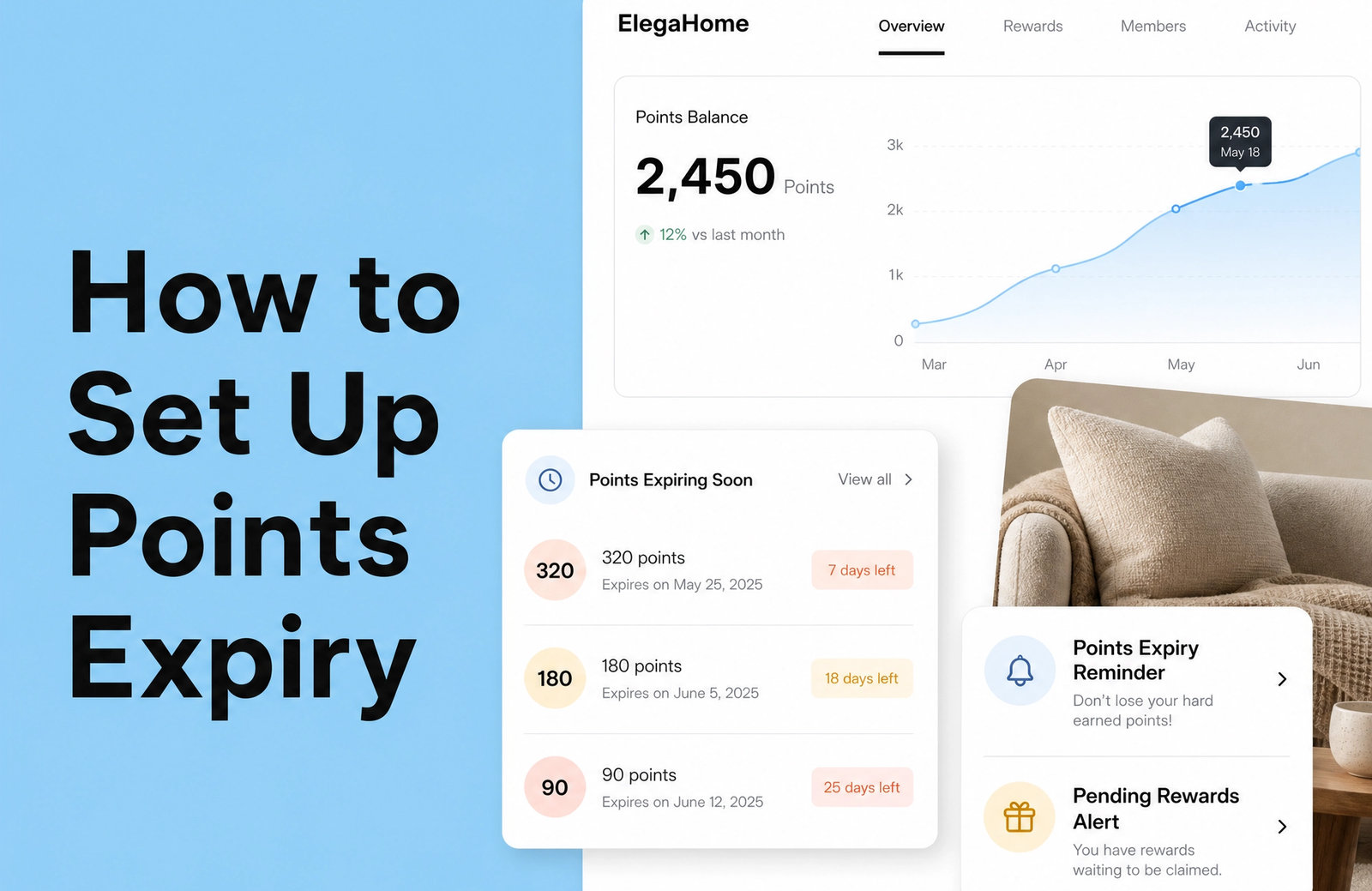
Points expiry looks straightforward on paper. Set a date, points disappear, liability shrinks. But here's what most Shopify merchants miss: a poorly designed expiry policy doesn't just reduce financial burden—it actively damages customer relationships and tanks retention rates.
The real leverage point isn't the expiry itself. It's what you do before the points disappear.
When executed thoughtfully, points expiry becomes a motivation mechanism that reactivates dormant customers, accelerates redemptions, and genuinely increases customer lifetime value. When rushed or ignored, it becomes the reason customers unsubscribe from your loyalty program entirely. We've seen retention rates drop by 12-15% within weeks of implementing aggressive expiry without proper communication frameworks.
This guide walks you through both the strategy and the mechanics of setting up a points expiry system that actually works. You'll learn the two fundamental expiry models, how to notify customers without triggering frustration, and exactly how to configure these rules within your Shopify loyalty program to maximize both engagement and financial predictability.
Why Points Expiry Matters: Balancing Financial Liability and Customer Engagement
Your loyalty points aren't just marketing fluff. From an accounting perspective, they're a liability—a future obligation sitting on your balance sheet until a customer redeems them or they expire.
Consider this: if you've issued $50,000 in unredeemed loyalty points and you're sitting on that liability indefinitely, you're creating a financial problem that grows with every new point you issue. Points expiry doesn't mean stealing from customers. It means resolving an outstanding obligation in a way that's transparent and, ideally, motivating.
The Breakage Reality
"Breakage rate" is the industry term for points that expire unused. Industry research shows loyalty program members have 12-18% higher average order value than non-members, but that doesn't mean they redeem points. In fact, somewhere between 20-30% of points in consumer packaged goods go unredeemed across retail, while B2B and travel industries see breakage rates as high as 70-85%.
Without expiry rules, those unredeemed points sit indefinitely on your books. With a well-designed expiry system, you convert a portion of that dormant liability into actual customer engagement. If you have $10,000 in unredeemed points and implement a sensible expiry policy that resolves 20% of that through either redemption or natural expiry, you've reduced your liability by $2,000 while potentially reactivating customers who'd forgotten they had points in the first place.
The Urgency Factor: Converting Inaction Into Action
Points expiry creates psychological pressure—but the type matters. Research shows 56% of customers change their shopping behavior after losing points due to negative expiration experiences. That's the wrong kind of urgency.
The right kind? When customers receive clear, timely reminders that their points are about to expire, they don't feel tricked. They feel motivated. Suddenly, that $15 discount sitting in their account becomes real. They start browsing. They add something to their cart. Many make purchases they weren't planning on just to use those points before the deadline.
We've consistently seen redemption rates jump 35-40% in the two weeks immediately preceding a points expiry date when notifications are done well. Customers who receive no communication about expiry? They forget entirely. Customers who get aggressive surprise notifications? They resent your brand.
Understanding the Two Core Points Expiry Models
Not all expiry is created equal. The model you choose fundamentally changes how customers perceive fairness, how much administrative work you take on, and how predictable your financial liability becomes.
Rolling Expiration: Rewarding Continuous Engagement
Rolling expiry (sometimes called activity-based or sliding expiry) works like this: points expire after a period of customer inactivity. The clock resets every time that customer earns or redeems points.
Example: A customer earns 500 points on January 15th. If you implement 12-month rolling expiry, those points expire on January 15th of the following year—but only if the customer hasn't made another purchase or taken any loyalty action in the interim. The moment they make a purchase on November 1st, the expiry clock resets. Now those original 500 points don't expire until November 1st of the following year.
When Rolling Expiry Works
Rolling expiry feels fair to customers because engagement actively prevents expiry. An active customer—someone who's buying regularly—never loses points. This model works exceptionally well for:
- Subscription or frequent repurchase businesses. If your customers naturally buy every 4-6 weeks, a 12-month rolling window is generous and rarely catches anyone.
- Brands building long-term community. Fashion, beauty, and lifestyle brands that want to reward ongoing engagement benefit from rolling models.
- Programs targeting retention over rapid breakage. If your goal is deepening relationships rather than reducing liability fast, rolling expiry incentivizes the behavior you want.
The major downside: rolling expiry is administratively complex. Tracking which specific points expire when, handling the resetting clock, managing edge cases—it requires robust backend logic. Your financial forecasting also becomes less predictable because you can't easily project when liability will reduce.
Fixed Expiration: Simplicity and Controlled Liability
Fixed expiry (calendar-based or duration-based) sets a hard deadline. Points earned on January 1st expire on January 1st of the following year. Or all points expire on December 31st each year. No matter what the customer does in between, that deadline is final.
When Fixed Expiry Works
Fixed expiry is administratively simple and provides clear financial forecasting. You know exactly when liability will resolve. The deadline creates definitive urgency. This model makes sense for:
- Programs requiring strict financial controls. If you need precise liability reduction projections, fixed expiry gives you that.
- High-velocity, transactional businesses. Grocery, quick replenishment, or impulse categories where you want rapid redemption.
- Rewards with built-in deadlines. Limited-time discounts or seasonal rewards naturally pair with fixed expiry.
The cost: fixed expiry can feel punitive. A customer who made a purchase two months ago might receive an expiry notice, feel blindsided, and resent your program. 15% of rewards cardholders report having had rewards expire before they could use them, creating negative brand sentiment that extends far beyond the points themselves.
The Shopify loyalty program growing brands trust
See how Mage helps Shopify brands lift repeat purchase rate with loyalty, referrals and store credit.
Book a demoThe Contrarian Take: Why Blanket Expiry Might Backfire
Here's an unpopular opinion backed by customer behavior data: relying on points expiry as your primary engagement mechanism is increasingly ineffective with younger, relationship-focused customer segments.
Most loyalty advice treats expiry as an essential best practice. The conventional wisdom: set a deadline, create urgency through FOMO, customers redeem, liability shrinks, everyone wins.
But here's what we see in practice: aggressive expiry policies (especially fixed deadlines) are increasingly perceived as transactional tactics rather than genuine rewards. Gen Z and millennial customers—who represent the fastest-growing segments for most DTC brands—actively distrust programs that feel like they're designed to take away value rather than create it.
Instead of relying on the threat of expiry, brands that build authentic, ongoing value see better results. Clear, frequent communication about points. Genuine rewards that feel achievable. Regular surprise bonuses that remind customers the program exists. These tactics drive engagement without the resentment that comes from hard deadlines.
This doesn't mean abandon expiry entirely. It means using it as a gentle nudge—primarily for dormant, at-risk customers—rather than a blunt instrument applied universally. The brands we see with the highest retention and repeat purchase rates use rolling expiry or no expiry for active customers, then apply fixed deadlines selectively to reactivate lapsed segments.
“Cannot say enough good things about the team at Mage Loyalty, one of the absolute best organizations we have ever worked with, full stop! So glad we connected with them, completely redid our loyalty program, new concepts, use of loyalty, increasing user engagement, showing us where we were not valuing our best customers, just WOW, amazing team!”


Read the West Coast Goalkeeping case study →
Crafting Your Strategic Points Expiry Plan
Before you configure anything, build your strategy. A thoughtful plan prevents costly mistakes and maximizes effectiveness.
Setting the Optimal Expiration Window
The industry standard range is 12-24 months for points and 6 months for redeemable rewards. But "standard" doesn't mean optimal for your business.
Start by asking: how often does my typical customer purchase? If your average customer buys every 6 weeks, a 6-month expiry window is actually generous—they'll never hit it unless they completely disengage. If customers typically buy quarterly, anything shorter than 9 months feels punitive.
Here's a practical framework: set your expiry window at least 1.5 times your average repurchase cycle. If your median customer repurchases every 8 months, aim for 12-month expiry. If they repurchase every 3 months, 6 months works.
One critical guardrail: avoid expiry windows shorter than 6 months unless you have a specific tactical reason (like a limited-time promotional campaign). Anything shorter consistently frustrates customers and damages program perception.
Mastering Notification Timing and Methods
Communication is where most programs fail. You can have the perfect expiry window, but if customers don't know points are about to expire, they'll resent the loss.
Effective notification follows a sequence. Start at 90 days before expiry with a soft reminder. Make it informational rather than urgent: "Your points expire on [date]. Check your balance and see what you can redeem."
At 30 days, escalate slightly. Add urgency language and show the specific points balance plus 2-3 redemption options with values. Make the redemption link prominent.
At 7 days, this is your final push. "Your [X] points expire in one week. Redeem now for [specific rewards]." Include a direct redemption link.
Some brands add a 1-day final notice. This can be effective but risks feeling aggressive.
Email customization matters. Generic "Your points expire" messages get ignored. Personalized messages that show the specific point balance, redemption value, and relevant rewards see 2-3x higher click-through rates than templated versions.
Beyond email, display expiry dates prominently in your loyalty widget or customer account dashboard. If a customer logs in to your store, the first thing they should see in their loyalty section is "You have [X] points expiring on [date]." This passive visibility catches customers who don't read emails.
For advanced programs, consider integrating Mage Loyalty with email service providers like Klaviyo to create automated, segmented workflows. Different customer segments receive different messaging timing and frequency based on their engagement history.
Implementing Segment-Based Expiry Rules
One-size-fits-all expiry is blunt and often counterproductive. Sophisticated programs vary expiry rules by customer segment.
VIP and high-value customers: Consider offering no expiry or extended expiry windows (e.g., 24-36 months) as a premium perk. If your top 10% of customers represent 40% of revenue, protecting their points indefinitely is a cheap way to cement loyalty.
New customers: The first 90 days are critical. Consider not applying expiry to new customer points until after their first 6 months. Letting new members earn 500 points on their first purchase, then watching those points disappear within 6 months, creates a negative first impression.
Lapsed/at-risk customers: Use points expiry as a reactivation tactic. Segment customers who haven't purchased in 12+ months and send them a targeted email: "We noticed you haven't used your [X] points. They expire in 30 days. Here's [specific offer] to get you back to shopping." This transforms expiry from a threat into a personalized win-back mechanism.
Tier-based differentiation: If you run a VIP tier system, vary expiry by tier. Bronze members: 12 months. Silver: 18 months. Gold: no expiry. This incentivizes tier progression and makes higher tiers feel genuinely better.
Walking Through Configuration in Mage Loyalty
Setting up points expiry in your Shopify loyalty program involves several sequential steps. Here's exactly how to do it.
Step 1: Access Your Expiry Settings
Log into your Shopify admin and open your loyalty app dashboard. Navigate to Settings or Program Configuration, then find the Points or Rewards section. Most platforms have a dedicated "Expiry" or "Point Expiration" subsection. In Mage Loyalty, this appears under Program Settings > Points Expiry.
Step 2: Choose Your Expiry Model
You'll see options for:
- No Expiry (points never expire)
- Rolling Expiry (points expire after [X] months of inactivity)
- Fixed Expiry (points expire [X] months after earning OR on a specific calendar date)
Select the model that matches your strategy. If you're torn, rolling expiry is more customer-friendly but requires more infrastructure. Fixed expiry is simpler but riskier from a reputation standpoint.
Specify the expiry duration. For most Shopify brands, 12 months is a safe starting point.
Step 3: Configure Notification Rules
Enable automated email notifications. Set the notification schedule:
- 90 days before expiry: "Friendly reminder" tone
- 30 days before expiry: Elevated urgency with specific point balance
- 7 days before expiry: Final call with direct redemption link
Customize the email templates. Include:
- Customer's specific point balance
- Expiry date
- 2-3 specific redemption options with clear values (not vague "rewards")
- A prominent, trackable redemption link
- Your brand voice (friendly, urgent, but not aggressive)
Step 4: Set Up In-App Messaging
Within the same section, enable loyalty widget notifications. This displays expiry information directly in your customer account or loyalty dashboard. Specify whether expiry dates should appear:
- In the points balance section
- In a dedicated expiry countdown
- As a warning banner when points are within 30 days of expiry
Step 5: Apply Segment-Based Rules (If Available)
Advanced platforms allow different expiry rules for different customer segments. If your loyalty program supports this:
- Create or select customer segments based on VIP status, purchase frequency, or engagement level.
- Assign different expiry rules to each segment. Example:
- VIP Customers: No expiry
- Active Customers (purchased in last 6 months): 18-month rolling expiry
- Lapsed Customers (no purchase in 12+ months): 6-month fixed expiry with aggressive win-back messaging
- Test the rules with a small segment before rolling out broadly.
Step 6: Review, Test, and Activate
Before going live:
- Audit your settings to confirm all expiry windows, notification schedules, and segments are correct.
- Test with a sandbox customer if possible, or manually verify notification emails.
- Check for clarity: Read your notification emails as a customer would. Are they clear? Do they create the right urgency without aggression?
- Confirm compliance: If you operate internationally, verify that your expiry policy complies with regional regulations (GDPR, California Consumer Privacy Act, etc.).
Once satisfied, save your configuration and activate the feature. Most platforms allow you to apply expiry retroactively to existing points or only to points earned going forward—choose based on your preference and customer communication strategy.
Common Points Expiry Mistakes to Avoid
Even with a solid strategy, implementation errors can sabotage results.
Not communicating the expiry policy upfront. The biggest mistake: customers discover expiry only when they receive a "Your points are expiring" email. Communicate your expiry policy clearly during program signup, in FAQs, and in your loyalty widget. Transparency prevents resentment.
Setting expiry windows too short. Points expiring in less than 6 months frustrate most customers, especially those with lower purchase frequency. Start with 12 months and adjust downward only if data supports it.
Ignoring customer feedback. If you receive complaints about expiry, listen. Extend windows, offer grace periods, or switch to rolling expiry. Ignoring feedback signals that you don't value your customers.
Hiding expiry dates. Don't bury expiry information in Terms and Conditions. Display it prominently where customers view their loyalty account. Some brands make this mistake to avoid "scaring off" customers—ironically, this backfires because customers feel blindsided when expiry happens.
Applying rigid expiry to high-value customers. Nothing erodes VIP loyalty like losing points due to a deadline applied equally to all. Segment your most valuable customers out of standard expiry rules.
Setting overly aggressive notification frequency. More emails aren't better. Stick to the 90-30-7 cadence. Adding a 60-day email or daily reminders feels spammy and creates notification fatigue.
Measuring the Success of Your Expiry Strategy
You've set up your expiry rules. Now track whether they're actually working.
Key Metrics to Monitor
Redemption rate: What percentage of points are redeemed before expiry? Ideal target: 50-70% of issued points. If you're below 40%, customers aren't engaging. If you're above 80%, consider extending your expiry window—you may be unnecessarily shortening the program window.
Redemption timing: Plot when redemptions occur relative to expiry. If most redemptions happen in the final 7 days, your urgency messaging is working (but possibly feeling aggressive). If redemptions are spread evenly across the window, customers feel less time pressure.
Breakage rate: Track the percentage of points that expire unused. This is your "liability resolved" metric. Most healthy programs see 20-30% breakage. Higher suggests your expiry window is too short or notification approach is too passive.
Reactivation rate: Among lapsed customers who receive expiry notifications, what percentage return to make a purchase? This is a direct measure of whether expiry is functioning as a win-back tactic.
Customer lifetime value (CLTV): Compare CLTV for customers who redeem points before expiry versus those who don't (or let points expire). If expiry correlates with lower CLTV, your policy is damaging relationships.
Support ticket volume: Track complaints about expiry. A spike in "Why did my points expire?" tickets suggests your communication or policy is confusing.
Optimizing Based on Data
Run A/B tests. Try two different notification cadences with similar customer segments and measure redemption rates. Track which email subject lines drive higher open rates. Test different expiry windows (12 months vs. 18 months) with separate segments.
Use quarterly reviews to assess performance and adjust. If breakage is too high, notifications may be insufficient. If redemptions spike only days before expiry, customers are too stressed.
Why Shopify-native loyalty platforms Excel at Points Expiry Implementation
There are multiple ways to implement points expiry across your Shopify ecosystem. Email service providers like Klaviyo can manage notification sequences.
For Shopify stores, native solutions typically offer the tightest integration. You're not syncing data between three different tools or hoping API connections catch every edge case. The expiry logic lives in the same system as your points earning, redemption, and customer segments. This reduces configuration friction and error rate.
If you use an ESP like Klaviyo separately, you'll still manage notification campaigns independently from your loyalty app's core expiry rules. This creates more administrative overhead but also more flexibility for advanced customization.
Start simple: pick one platform, understand its expiry capabilities fully, and implement thoughtfully rather than spreading effort across multiple tools.
FAQ
How do I know if rolling or fixed expiry is right for my store?
Rolling expiry is generally more customer-friendly and better for continuous engagement, especially if your customers naturally repurchase frequently. Fixed expiry offers more administrative simplicity and clearer financial forecasting, and works better for programs requiring strict liability control or high-velocity categories where rapid redemption is the goal.
If you're uncertain, start with rolling expiry and a 12-month inactivity window. It's harder to configure initially but rarely generates customer complaints.
What is a typical points expiry period?
For loyalty points, 12 to 24 months from the date of earning is the industry standard. Redeemable rewards (vouchers, discounts) often have shorter expiry of 6 months to create more immediate urgency. Start within this range and adjust based on your customer repurchase cycle and feedback.
Can I change my points expiry rules after launch?
However, always communicate changes well in advance (ideally 30-60 days) and consider grandfathering existing points under old rules while applying new rules only to future earnings. Sudden policy shifts erode trust.
What happens if I don't set up points expiry notifications?
Customers won't know their points are expiring until it's too late. They'll lose points they thought were permanent, feel blindsided and resentful, and potentially churn from your loyalty program and brand entirely. Notifications are non-negotiable. The expiry mechanism itself matters far less than communicating it clearly and repeatedly.

Graeme is the co-founder at Mage Loyalty. He heads product development, from complex loyalty migrations and large-scale data handling to building the features shaping the future of loyalty on Shopify.