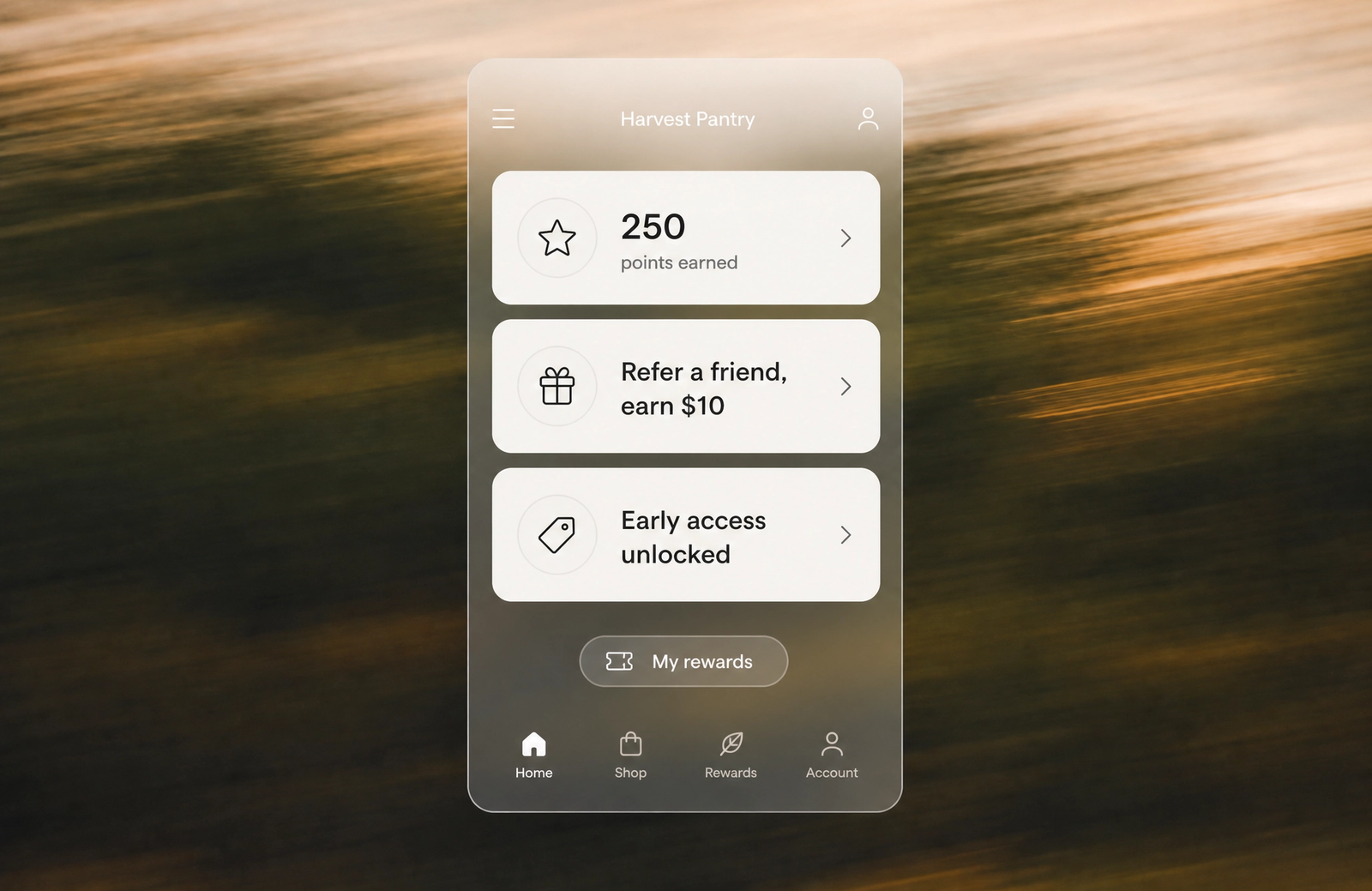
Customers expect a seamless shopping experience. They want to earn rewards for a purchase made online, then walk into your store and redeem those points at checkout without friction. Yet most Shopify merchants run their online and in-store loyalty programs as separate, disconnected systems.
The result? Frustrated customers. Confused staff. Lost revenue.
Here's the counterintuitive truth: most merchants don't need more loyalty features. They need better integration between the channels they already operate. When a customer's loyalty profile exists in one place—accessible and accurate whether they're shopping on your website or at your POS terminal—everything changes. Points stay synchronized. Redemptions work instantly. Fraud becomes nearly impossible.
This is omnichannel loyalty done right. And it's becoming table stakes for competitive Shopify stores.
The Power of Omnichannel Loyalty for Shopify POS
A Shopify POS loyalty program unifies customer rewards across online and in-store channels, ensuring points earned anywhere can be redeemed everywhere. Instead of managing separate point systems for web and physical retail, you create a single customer view that recognizes every interaction—whether someone buys through your website, mobile app, or physical location.
Think of it like a bank ledger. Every transaction (credit or debit) gets recorded in one place, instantly visible to anyone with access. When that system is built into your loyalty platform from the ground up—rather than bolted on as an afterthought—magic happens.
Why Shopify Merchants Need a Unified Approach
Enhanced Customer Experience. A customer earns 50 points buying a sweater online. Three days later, they're in your store and mention they want to redeem those points for a discount. Your staff pulls up their account at the POS—points are right there, exact amount, zero confusion. The transaction completes in seconds. This consistency builds trust. Customers feel recognized across every touchpoint.
Increased Customer Retention and Lifetime Value. The numbers here are compelling. Loyalty program members spend 31% more per order than non-members. Top-performing brands on Shopify Plus see a 20-27% lift in repeat purchase rates within the first year of launching a program. For omnichannel merchants, that lift often climbs higher because customers have more opportunities to engage and earn rewards.
Centralized Customer Data. Without integration, you end up with data scattered across systems. Your email marketing platform knows Customer A made a web purchase. Your POS system knows they visited the store. Your analytics tool sees website behavior. None of these systems talk to each other. You end up with fragmented insights and missed personalization opportunities. A unified loyalty program consolidates this data, giving you a single source of truth about each customer.
Streamlined Operations. Manual point adjustments, duplicate customer records, staff confusion about available rewards—these operational headaches disappear when your loyalty system is designed for omnichannel from the start. Staff spend less time troubleshooting and more time selling.
Mage's Unified Ledger: The Foundation of True Omnichannel Loyalty
Here's where most loyalty apps fall short. They promise "integration" between online and in-store. What they often mean is this: two separate systems are connected by APIs that sync data every few minutes or hours. A customer makes an online purchase. The points are recorded in the web system. A background process runs, moving that data to the POS system. If something goes wrong mid-sync—network lag, timeout—the systems are briefly out of sync. Fraud becomes possible. Customer disputes become harder to resolve.
A unified ledger works differently.
Instead of two systems that talk to each other, all customer interactions—online purchases, in-store transactions, returns, refunds, referral bonuses—are recorded in a single, real-time database. When a customer earns points, that transaction is immediately visible everywhere. When they redeem a reward, the deduction happens once, in one place. There's no sync delay. No discrepancy. No way to exploit the system.
How Mage's Unified Ledger Works
Every action a customer takes generates a ledger entry: +50 points for a $50 purchase. -100 points for redeeming a reward. -25 points for returning an item. These entries are immutable and timestamped. They flow into a single, authoritative record that Shopify POS terminals access in real-time.
Staff at your physical store lookup a customer. The system doesn't retrieve data from a cached copy—it queries the live ledger. They see the customer's exact current balance. They apply a reward. That deduction is recorded once. It's visible online immediately. No waiting. No confusion.
Key Benefits of Mage's Architecture
Real-time Accuracy. Points update instantly. A customer doesn't earn points online, then show up in-store to find their balance is wrong. This prevents the single biggest source of loyalty program frustration: customers feeling like they're not getting credit for their engagement.
Fraud Prevention. A unified ledger makes double-spending or point duplication nearly impossible. If someone tries to redeem a $20 reward twice in quick succession, the second attempt fails immediately—the points have already been deducted from the single authoritative record. Traditional systems, with their sync delays and separate databases, are vulnerable to clever exploits. A unified ledger closes those gaps.
Simplified Troubleshooting. When a customer disputes their point balance, you don't need to check three different systems. You pull up the ledger. Every transaction is there. You can see exactly when points were earned, when they were redeemed, what prompted adjustments. Issues get resolved in minutes instead of days.
Future-Proof Scalability. As your business grows—adding new sales channels, integrating new marketing platforms, launching new loyalty mechanics—a unified ledger adapts easily. You're not working around architectural limitations. You're building on a foundation designed to scale.
The Shopify loyalty program growing brands trust
See how Mage helps Shopify brands lift repeat purchase rate with loyalty, referrals and store credit.
Book a demoStep-by-Step: Setting Up Your Loyalty Program for Shopify POS
Choosing Your Loyalty Solution
Start with the basics: what does your loyalty app need to do?
Look for Shopify POS compatibility first. Not all loyalty apps work at the point of sale. Some are web-only. You need a platform that includes a Shopify POS tile or extension—a dedicated interface your staff can access directly from the Shopify POS Smart Grid.
Second, check the feature set. Can you configure custom earning rules? Can you set up multiple redemption options? Can you create VIP tiers? Can you track analytics across channels? The best platforms offer flexibility here. You shouldn't need to request a custom development to reward customers for birthdays or referrals.
Third, evaluate ease of use. Your staff will interact with this system dozens of times per day. If the interface is confusing, they'll make mistakes. If enrollment takes 90 seconds, customers will get frustrated. Simplicity matters.
Finally, assess support. When something breaks—and something will—can you reach a human who knows the system? Is there documentation? A community forum? Good support turns a minor issue into a quick fix instead of a business disruption.
Why a Unified Approach Matters Here. They don't bolt on POS loyalty as an afterthought. Their architecture supports real-time synchronization between online and in-store. This is different from third-party solutions that integrate with Shopify—they often introduce sync delays or data consistency issues.
Installing and Configuring Your Loyalty App
Head to the Shopify App Store and search for your chosen loyalty app. Click "Add app." Grant the necessary permissions. Most loyalty apps need access to your customer data, order information, and discount settings.
Once installed, you'll see the app in your Shopify admin. Navigate to the loyalty section. Here's where you configure the foundation: your earning and redemption rules.
Configuring Loyalty Rules: Earning Points Everywhere
Online Earning Setup. This is typically the simpler side. You define a base earning rate—for example, 1 point per $1 spent. You might set thresholds for bonus points: double points on orders over $100, or 25 bonus points on the first purchase.
Most loyalty apps let you exclude specific products or collections from earning. For example, a coffee brand might exclude clearance items. You configure this in the app dashboard, and it applies automatically to all online transactions.
In-Store Earning Setup via Shopify POS. Here's where it gets more interesting. The same earning rules you set up for online need to work at the POS. When a staff member rings up a $50 purchase, the system should automatically calculate that the customer earns 50 points.
To make this work, you need to add the loyalty app's tile to your Shopify POS Smart Grid. The Smart Grid is the customizable interface your staff sees at checkout. By adding the loyalty tile, you're embedding the loyalty system directly into the POS flow.
During checkout, after the customer has paid, staff click the loyalty tile. It prompts them to identify the customer—by email, phone number, or account lookup. Once identified, the system displays the transaction details and the points the customer just earned. The points are automatically recorded in the unified ledger.
Bonus Earning Opportunities. Beyond purchase-based earning, consider rewards for engagement. Many successful loyalty programs offer:
- 25 points for writing a product review
- Birthday bonus: 50 points in the month of their birthday
- Referral rewards: 100 points if they refer a friend who makes a purchase
- Social sharing: 15 points for following you on Instagram
These non-transactional actions keep customers engaged and give you richer data about customer preferences and behavior.
Configuring Loyalty Rules: Redeeming Rewards Seamlessly
Now that customers are earning points, they need a compelling reason to come back and spend them.
Setting Up Redemption Options. Common approaches:
- Fixed discount: 100 points = $10 off a purchase
- Percentage off: 100 points = 15% off their order
- Free product: 150 points = a specific item at no cost
- Tiered rewards: Different point values unlock different rewards
The key is alignment with your margins and customer lifetime value. If you give away too much value per point, your program erodes profitability. If you're stingy, customers won't redeem, and the program feels valueless.
A practical rule of thumb: a point should be worth roughly 1% of the transaction value. So 100 points = $1 value. If a customer earns 1 point per $1 spent, they're earning 1% of their spend as potential reward value. This feels fair and sustainable.
Online Redemption Process. On your e-commerce site, customers can view their loyalty dashboard. They see their point balance, available rewards, and redemption history. When they choose to redeem, the system applies the discount at checkout and deducts the points from their account.
In-Store Redemption via Shopify POS. This is where the unified ledger shines.
At the checkout, staff click the loyalty tile again. They identify the customer. The POS displays the customer's current point balance and available rewards. If the customer wants to redeem, staff selects the reward from a list. The system deducts the points and applies the discount to the transaction—all in real-time.
The critical detail: because it's a unified ledger, that point deduction is immediate. The customer can't use those points again, online or in-store. There's no sync window where they could exploit the system.
Managing Customers: Enrollment and Identification
New Customer Enrollment In-Store. A customer comes to checkout. Staff ask, "Would you like to join our loyalty program?" If yes, the staff member opens the loyalty tile and clicks "Enroll." They enter the customer's name, email, and phone number. The system creates an account instantly. The customer earns sign-up bonus points and is ready to start accruing rewards.
From that moment forward, that customer's profile is accessible online and in-store. If they later shop on your website, the same email address links them to their in-store account. No duplicate profiles. No confusion.
Identifying Existing Loyalty Members. A returning customer arrives at checkout. Staff need to quickly identify them in the loyalty system. The loyalty tile allows lookup by:
- Email address: "Can I get the email associated with your account?"
- Phone number: "What's the best phone number for us to have on file?"
- Name + email or name + phone: For customers who aren't sure exactly what information they used
Once identified, the customer's profile appears. Their current point balance is displayed. If they want to redeem, it's right there. If they're close to a reward threshold, staff can mention it: "You're just 25 points away from a free item!"
This small moment of recognition—staff knowing their status—is powerful for customer retention.
Activating Loyalty at the Shopify POS Terminal
Before you launch, test everything.
Download the latest version of Shopify POS on all your in-store devices. Ensure the loyalty app is installed and active. Create a test customer account. Go through the full flow: enroll them, ring up a test purchase, verify points post, attempt a redemption. Does everything work as expected? Are there lag issues? Are there any error messages?
Have a staff member walk through the process. Can they intuitively use the loyalty tile? Do they need to ask questions? Any friction points? Fix them before launch.
Also test offline mode. What happens if your internet connection drops mid-transaction? Does the POS queue the transaction and sync it later? Or is the loyalty system unavailable? Understanding your platform's resilience is crucial.
“I looked into so many different integrations for loyalty and referrals for our Shopify Store, but no one impressed me more than Mage on human connection, customer service, and value.”


Read the Reelie case study →
Empowering Your Team: Staff Training for Loyalty Success
Your loyalty program lives or dies based on staff execution.
A great program with staff who don't understand it will fail. Customers won't enroll. Returning members won't redeem. Disputes will pile up. Frustration will mount.
Invest in training.
Program Overview. Staff need to understand the "why." Why does your company offer a loyalty program? What's the benefit for the customer? What's the benefit for the business? A 10-minute conversation here sets the tone. "Our loyalty program keeps our best customers coming back more often. When you enroll someone or help them redeem, you're directly contributing to the success of our store."
Using Mage at Shopify POS. Then get tactical. Walk through the loyalty tile step-by-step. Show enrollment. Show lookup. Show redemption. Have each staff member practice with a test account. Let them make mistakes in a low-stakes environment.
Common Customer Questions. Customers will ask:
- "How many points did I just earn?" (Show them the loyalty tile. Point to the number.)
- "What can I redeem my points for?" (Walk them through available rewards. Show the point value of each.)
- "Why don't I have as many points as I expected?" (Common reasons: the program is new; points don't post instantly; they're confusing online and in-store balances. Have an answer ready.)
- "How do I check my balance online?" (Direct them to your loyalty page or email them the link.)
Role-play these conversations. It sounds silly, but it works. When a real customer asks, staff won't be caught off-guard.
Troubleshooting Basics. What if a customer's points don't post after a transaction? What if they try to redeem but the system says they don't have enough points? What if they claim they were promised a bonus they're not seeing?
Have a troubleshooting checklist. "First, check the transaction history in the customer's loyalty profile. If the purchase is there but points didn't post, the app may have had a sync delay—wait 15 minutes and check again. If the purchase isn't there at all, look in the POS system to verify it was captured. If it was, escalate to [manager name]."
Most issues have simple resolutions. Empowering staff to handle them keeps customers happy and reduces burden on management.
Mastering Omnichannel Loyalty: Edge Cases and Solutions
The 80% of the program runs smoothly. It's the edge cases—the 20%—that create the most friction.
Handling Returns and Refunds
A customer buys an item in-store and earns 50 points. Two days later, they return it. What happens to the points?
Standard approach: The points are reversed. When the refund is processed, the system deducts 50 points from their account. It's as if the transaction never happened.
This feels fair to most customers. They didn't keep the item, so they shouldn't keep the reward.
But there's a variant worth considering: if the customer earned a bonus—like a sign-up bonus or a promotional bonus points day—reversing all points can feel punitive. Some brands reverse only the purchase-based points, leaving promotional bonuses intact. This is a judgment call based on your brand values and the frequency of returns.
Process: Most loyalty apps automate this. When a return is processed in the POS system, the loyalty integration is triggered. Points are automatically reversed. No manual action needed. You should handle loyalty program returns and refunds strategically to maintain customer trust.
Managing Partial Payments and Split Tenders
A customer wants to pay for a $100 order with two credit cards: a $60 payment on one card, $40 on another.
How do you calculate loyalty points?
The standard approach: points are calculated on the full transaction subtotal, regardless of how many payment methods were used. So the customer earns 100 points (assuming 1 point per $1) even though they split payment.
The loyalty app should handle this automatically. When you ring up the transaction in the POS, it calculates points on the total. When you apply split payments, the point calculation doesn't change.
Addressing Technical Glitches and Offline Mode
Your internet goes down. Your POS system loses connection to the loyalty platform.
What happens?
This depends on your platform's architecture. Some apps queue transactions and retry syncing once connection is restored. Others require internet to function at all.
Before launch, confirm your platform's behavior here. The best platforms handle short outages gracefully: transactions still process; points are calculated locally; everything syncs once connection is restored.
For longer outages, have a manual workaround. Can staff write down customer information and enter loyalty adjustments manually once systems are back online? It's not ideal, but it prevents total program shutdown.
Resolving Customer Disputes
A customer claims they earned 200 points last month but their balance shows 100.
As a staff member, how do you investigate?
Pull up their loyalty dashboard. Look at the transaction history. You'll see every action: purchases, points earned, points redeemed, returns, adjustments. The timeline shows when each occurred.
In most cases, you'll quickly see what happened. Maybe they redeemed 100 points two weeks ago and forgot. Maybe a return reversed some earned points. Maybe a promotion expired.
Once you understand the issue, you can either correct it (if there's a legitimate error) or explain it to the customer (if everything is correct and they simply misremembered).
The unified ledger makes this investigation fast. Everything is in one place. There's a clear audit trail. You can show the customer exactly what happened, in order, with timestamps.
Mage's unified architecture supports this kind of transparent dispute resolution by design.
Promotional Exclusions
Your loyalty program excludes sale items from earning points. Why? To prevent customers from using loyalty discounts to stack on top of already-reduced prices, eroding margins.
How does your staff handle this at the POS?
The app should handle it automatically. When you configure earning rules, you exclude specific collections or products. When a sale item is rung up, the system doesn't award points.
But staff need to know this rule exists. A customer buys a sale item, doesn't earn points, and asks why. A trained staff member can explain: "We don't earn points on sale items, but your loyalty points earned from regular purchases are ready to redeem whenever you'd like."
Beyond Points: Why Traditional Loyalty Is Fading for Modern Merchants
Here's an uncomfortable truth for loyalty practitioners: points alone are becoming commoditized.
Every brand has a points program now. Earn 1 point per dollar. Redeem for discounts. It works, but it's not differentiated. It's not exciting.
Worse, younger customers (Gen Z, in particular) are increasingly indifferent to points accumulation. Research consistently shows that Gen Z values immediate gratification over delayed rewards. A 15% discount right now is more motivating than "earn points toward a future discount."
This doesn't mean loyalty programs are dying. It means they're evolving.
The most successful loyalty programs today blend multiple mechanics:
VIP Tiers with Instant Perks. Instead of "earn enough points for a reward," customers unlock immediate benefits: free shipping at Silver tier, exclusive sales preview at Gold tier. The status itself is rewarding.
Experiential Rewards. Early access to new product drops. Exclusive virtual events. Personalized product recommendations. These feel premium in ways a discount can't.
Community and Gamification. Challenges ("Buy 3 items this month, earn double points"). Badges ("You've been a customer for 1 year!"). Referral rewards. These tap into social motivation, not just transactional incentives.
Personalized Engagement. Knowing customers' purchase history and preferences, your loyalty program suggests rewards tailored to them. Instead of a generic "15% off," it's "Get 15% off the sunscreen you've been eyeing."
The shift is subtle but important: from "here's a discount structure, compete to earn it" to "here's a community, we value you and want to recognize that."
A platform like Mage supports this evolution because it's flexible. You can run traditional points + VIP tiers + referrals + milestone rewards all simultaneously. You're not locked into a single loyalty model.
As your customer base changes, your program can evolve with them.
Optimizing Your Loyalty Program for Continuous Growth
Launch is just the beginning.
Track these KPIs:
- Enrollment rate: What percentage of customers are joining your loyalty program? If it's below 30%, you need stronger in-store promotion or a more compelling sign-up incentive.
- Repeat purchase rate: Among loyalty members, what percentage make a second purchase? Loyalty programs typically lift this 10-20%.
- Average order value: Do members spend more per order than non-members? If yes, the program is working.
- Redemption rate: What percentage of earned points are redeemed? If it's below 30%, your redemption options may not be compelling.
- Customer lifetime value: Are loyalty members worth more over their lifetime than non-members? This is the ultimate metric.
Use your loyalty app's analytics dashboard to track these. Most apps provide reports showing this data broken down by time period, membership tier, and channel (online vs. in-store).
Segment and personalize. Your most valuable customers deserve targeted rewards. Maybe your top 20% of spenders get exclusive perks. Maybe your most engaged social followers get early access to sales. Drive customer retention and loyalty by meeting customers where they are.
Iterate. Loyalty programs aren't "set and forget." Run small tests. Try a different sign-up bonus. Experiment with doubling points on a specific product for a week. See what drives engagement. What you learn compounds over time.
Conclusion: Build Lasting Relationships with Omnichannel Loyalty
A Shopify POS loyalty program, when built on a unified foundation, transforms how customers relate to your brand.
Instead of feeling like separate shopping experiences—online is one thing, in-store is another—customers experience a seamless continuum. Earn anywhere. Redeem anywhere. Their profile follows them.
This consistency builds loyalty in the truest sense. Not just transactional compliance ("I'll come back because I want the discount"), but genuine affinity. Customers feel known. Recognized. Valued.
And that affinity drives measurable business results: higher repeat purchase rates, increased average order value, stronger customer lifetime value, reduced acquisition burden as referrals increase.
The technical foundation matters here. A unified ledger architecture eliminates the friction of sync delays and data inconsistency. Staff can confidently manage the program. Customers get instant, accurate feedback. Fraud becomes nearly impossible.
If you've been running separate loyalty systems for online and in-store, consolidation to a single, unified platform is worth the effort. The upfront investment in setup and training pays for itself quickly in improved customer satisfaction and operational efficiency.
Your next step: audit your current loyalty setup. Are online and in-store truly integrated, or are they separate systems? If they're separate, start researching Shopify-native loyalty platforms that support real omnichannel. If they're already integrated, pull your recent KPIs and identify one area for optimization. Maybe enrollment is low, or redemption is stagnant. Start small. Iterate. Let the data guide you.
The merchants winning at loyalty aren't the ones with the most complex programs. They're the ones with programs that actually work—where systems align, staff are trained, and customers feel the value instantly.
Frequently Asked Questions
How do I ensure that online and in-store loyalty data stays synchronized?
Real-time synchronization depends on your platform's architecture. The best approach is a unified ledger, where all customer actions (online and in-store) are recorded in a single, authoritative database. This eliminates sync delays and ensures customers see their accurate balance everywhere. When evaluating a loyalty app, ask specifically how it handles omnichannel data—sync every few minutes, or real-time? Real-time is the standard you should expect.
Can my existing loyalty members seamlessly transition their online points to in-store redemption?
Yes, provided your loyalty platform supports omnichannel integration from the start. If you're migrating from a web-only to an omnichannel system, most platforms allow you to import existing customer data and point balances. Existing members' points remain intact and become redeemable in-store immediately. This transition should be transparent to customers—no special action needed on their part.
What should I do if a customer's point balance appears incorrect across channels?
First, pull up the customer's transaction history in your loyalty dashboard. Review every action: purchases, redemptions, returns, promotional bonuses. The timeline will show where discrepancies occurred. Common reasons include unredeemed points, reversed points from returns, or expired promotional bonuses. Once you've identified the issue, explain it to the customer with proof (the transaction history). If there's a genuine system error, most loyalty apps allow manual adjustments. Escalate to support if needed.
Can I use the same loyalty program across multiple physical locations and my online store simultaneously?
Yes. A unified loyalty platform treats all sales channels—website, mobile app, store location 1, store location 2, etc.—as extensions of the same customer record. A customer in Boston can earn points online. When they visit your location in New York, their exact balance is visible. When they order via mobile app, points post to the same account. This is the core benefit of omnichannel architecture.
What loyalty platforms integrate seamlessly with Shopify POS?
Each has different strengths: some excel at analytics, others at customization, others at ease of use. Evaluate them based on your specific needs—real-time syncing, VIP tier support, referral mechanics, staff training resources. Most offer free trials, so test the one that resonates with your workflow.
Do I need to retrain staff if I switch loyalty platforms?
Yes, but the magnitude depends on how different the new platform's interface is. If you're switching from one POS-native app to another, the training burden is moderate—similar concepts, different buttons. If you're moving from a web-only system to a POS-integrated system, staff will need training on the new loyalty tile and how to enroll/identify customers at checkout. Budget 30-60 minutes per staff member for training, plus ongoing support for questions. Invest in this—it's worth it.

Kris is the co-founder of Mage Loyalty. I spend most days talking to merchants, shipping features, and making sure our customers get real results. If you run a Shopify store or Agency we should chat!