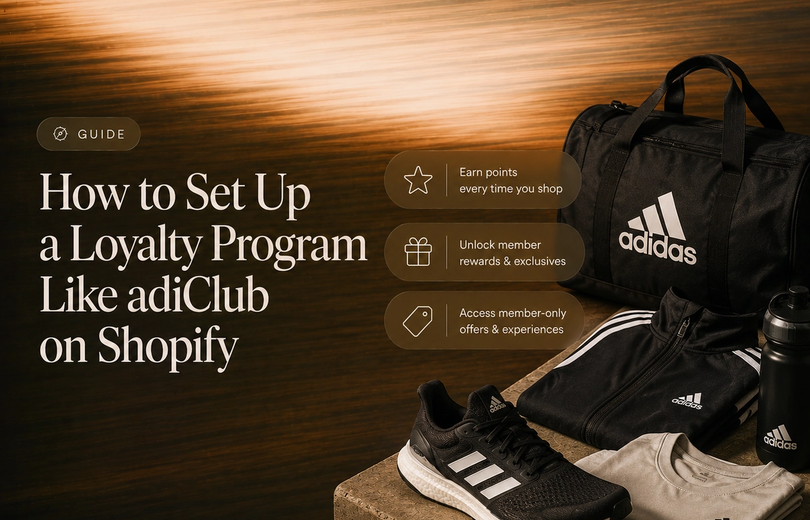
adiClub is adidas' free membership program in the US. Members earn adiClub points for purchases, workouts and other actions, and those points do two jobs: they move you up four levels, and they can be spent on vouchers, giveaways, points-only products, partner offers and good causes. adidas lists 10 points per $1 spent, 100 points for creating an account and 100 for completing your profile, and levels that start at 0, 1,000, 3,000 and 9,000 points. Levels and spendable points are tracked separately, so spending points doesn't cost you your level.
Last checked against adidas' adiClub page and its FAQ, and the adidas US Terms and Conditions (last updated 22 July 2026), all as of 24 October 2026.
This guide is written by Graeme, co-founder of Mage, a loyalty and customer accounts platform for Shopify.
adiClub at a glance
| Feature | Details |
|---|---|
| Cost to join | Free |
| How to join | adidas app, CONFIRMED app, adidas website, in store or the adidas Running app |
| Welcome offer | A voucher and adiClub points (amounts not stated on the page) |
| Earning | 10 points per $1, 100 for an account, 100 for a profile, 50 per review, 50 for sharing a look, points for workouts |
| Levels | Four: Level 1 (0 to 999), Level 2 (1,000 to 2,999), Level 3 (3,000 to 8,999), Level 4 (9,000+) |
| Balances | Points-to-Spend and Level Points, tracked separately |
| Spending | Vouchers, giveaways, points-only products, partner offers, good causes |
| Level points expire | 365 days after you earn them, at the end of that month |
| Perks for all members | Free shipping and returns, members-only products |
| Apps | adidas app, CONFIRMED app, adidas Running app |
How adiClub works
adidas describes adiClub in three steps: earn points "with every purchase, run and more", level up because points "help you level up and get rewards", and redeem points "for products, experiences and vouchers". You join for free by downloading the adidas or CONFIRMED app and creating an account, or by signing up on the adidas website, in a store or in the adidas Running app.
Once you're a member, adidas says you get a Welcome Bonus, free shipping and returns, and access to members-only products. Higher levels unlock more, which is covered below.
How to earn adiClub points
The page lists these ways to earn:
| Action | adiClub points |
|---|---|
| Create an account | 100 |
| Complete your profile | 100 |
| Make a purchase | 10 per $1 spent |
| Review a product | 50 |
| Share your look (post an outfit in the app) | 50 |
| Track workouts in the adidas Running app | Earns points (amount not stated) |
Points are only earned on adidas products and services bought through the adidas app, the adidas website or adidas stores. adidas says you can't currently earn points with adidas partners.
On purchases alone, 10 points per $1 means a member reaches Level 2 after about $100 of spending, Level 3 after about $300 and Level 4 after about $900. Other actions count toward levels too, because every point earned goes into both balances.
Points-to-Spend and Level Points
adiClub keeps two balances, and adidas is explicit about how they work together:
- Level Points decide your level. They help you move up or hold your level.
- Points-to-Spend are the points you redeem.
- Every point you earn is added to both.
- Redeeming Points-to-Spend doesn't change your level or your Level Points. adidas says there are two separate balances, so spending points can't push you down a level.
You can see your level and both balances in the adidas or CONFIRMED app, or under My Account on the adidas website.
adiClub levels
adiClub has four levels, and you move up automatically once you have enough points:
| Level | Points needed |
|---|---|
| Level 1 | 0 to 999 |
| Level 2 | 1,000 to 2,999 |
| Level 3 | 3,000 to 8,999 |
| Level 4 | 9,000+ |
Rewards you unlock stay with you as you move up. New rewards are added to the list rather than replacing the old ones.
adidas says the higher your level, the more rewards you unlock, and names Premium Event Tickets, Priority Access and Priority Customer Service as examples. It sends members to the Rewards section of their adiClub account for the full list for each level, so the per-level breakdown isn't published on the public page.
How levels are kept
Level Points expire 365 days after you earn them, at the end of that month. adidas gives the example of points earned on 9 June 2025 expiring on 30 June 2026, and says you get a notification first. You only drop down a level if you don't maintain the required points within 12 months, and points you earn after reaching a new level count toward keeping it.
How to spend adiClub points
The page lists five ways to spend points:
- Vouchers: swap points for adidas vouchers. They're usually valid for 60 days on select products, in the adidas app, on the website, in the CONFIRMED app and in store. Vouchers can't be returned for points.
- Exclusive giveaways: redeem points for a chance to win. You can cancel an entry and get your points back, but only before the event or draw starts.
- Points for products: shop select products with points. These points-only products come in limited quantities, are available in the adidas app and are also in select stores.
- Partner offers: limited offers from adidas partner brands. Points can't be returned for these.
- Good causes: contribute points to good causes. Contributions can be made as often as you like, but they can't be withdrawn and aren't tax deductible.
You can redeem Points-to-Spend on the adidas website, but adidas says rewards there are limited. For the full range, it points members to the adidas app.
The page also lists limited-time partner promotions. On 24 October 2026 these included redeeming points for Apple TV, connecting accounts for adiClub x FIFA Rewards and adiClub x Strava, a Strava subscription code and signed football product in the adidas app from 19 November. These come and go, so check the page for what's live.
Do adiClub points expire?
Yes. adidas says Points-to-Spend can be valid for up to 36 months, but only if you earn points at least once every 12 months. If you don't earn within that time, points expire 12 months after they were earned, at the end of that month.
The three apps
adiClub runs across three apps:
- adidas app: "access the full range of adiClub rewards".
- CONFIRMED app: "boost chances to get limited releases".
- adidas Running app: "track your workouts" and earn points.
What adidas doesn't publish
Several details sit behind the login rather than on the public page:
- What a point is worth, or the points price of a voucher.
- The size of the welcome voucher and welcome points.
- Which rewards sit at which level.
- Whether any level earns points at a different rate. The page lists one rate, 10 points per $1, and doesn't mention a difference by level.
adidas' site has also advertised 15% off for joining adiClub, though the FAQ doesn't state the value of the welcome voucher.
The fine print
- Points are earned only on adidas products and services bought in adidas channels, not with partners.
- Level Points expire 365 days after they're earned, and you can drop a level if you don't maintain the points within 12 months.
- Points-to-Spend need an earning event every 12 months to stay valid for up to 36 months.
- Vouchers are usually valid for 60 days, only on select products, and can't be exchanged back for points.
- Partner offers and good cause contributions can't be reversed.
- Points-only products are limited and mostly in the adidas app.
- In adidas' Hype product sales, its Terms and Conditions say some advantage is given to higher-level adiClub members, but no level guarantees you'll be selected to buy.
What stands out about adiClub
Two balances. Splitting Level Points from Points-to-Spend means redeeming never costs you a level. Members can spend freely without worrying about status, which is the usual objection to spending points in a tiered program.
Levels are based on points, not dollars. Because reviews, profile completion and workouts earn points that count toward levels, a member can progress through behaviour as well as spend.
The apps are the program. The full rewards, points-only products and member-only access sit in the adidas app, with the CONFIRMED app for limited releases and the adidas Running app for workouts. The website is a smaller version.
Partner promotions keep the catalogue fresh. Apple TV, Strava and FIFA tie-ins rotate, which gives members a reason to return without changing the core program.
What members should know going in:
- Points expire. Both balances have expiry rules, and spendable points need an earning event every 12 months.
- Level benefits aren't public. You'll need an account to see what each level unlocks.
- Redemptions are mostly in the app, and the website offers a limited selection.
Is adiClub worth joining?
Yes, if you buy adidas products. It's free, there's a welcome offer, and free shipping and returns are listed as a member benefit. The two-balance design means you can redeem points without losing your level.
How much it's worth depends on what you redeem for, because adidas doesn't publish what a point is worth. If you only shop occasionally, the 12-month expiry rules matter, since points earned during the year are what keep your level and your spendable balance alive.
What Shopify brands can learn from adiClub
adiClub is a large, app-led program, but a few of its ideas work at any size:
- Separate status from spending. Tracking progress to a level separately from the points a customer can spend means redemptions never feel like a penalty. In Mage, redemptions are already excluded from VIP tier progress.
- Let more than purchases count. Reviews, profile completion and workouts all earn points. Rewarding actions other than orders makes the program feel less transactional.
- Keep the base rate simple. One headline earning rate, 10 points per $1, is easy to explain, and levels add access rather than a new rate you have to explain.
- Use time-limited partner offers. A rotating set of promotions gives members a reason to check in without rebuilding the program.
If you're building a Shopify loyalty program like this, Mage covers much of the structure. You can set a points-per-dollar earning rule, a Signup Bonus, review and photo rules, and VIP tiers based on points earned over a rolling year, where redeeming points doesn't reduce tier progress. Members are tagged in Shopify automatically, so you can use the tags for segments, early access and free shipping at checkout. We've written a step-by-step guide to setting up a loyalty program like adiClub on Shopify.
The Shopify loyalty program growing brands trust
See how Mage helps Shopify brands lift repeat purchase rate with loyalty, referrals and store credit.
Book a demo“Cannot say enough good things about the team at Mage Loyalty, one of the absolute best organizations we have ever worked with, full stop! So glad we connected with them, completely redid our loyalty program, new concepts, use of loyalty, increasing user engagement, showing us where we were not valuing our best customers, just WOW, amazing team!”


Read the West Coast Goalkeeping case study →
Frequently asked questions
Is adiClub free? Yes. adidas says it's free to join.
How do you join adiClub? By downloading the adidas or CONFIRMED app and creating an account, or by signing up on the adidas website, in stores or in the adidas Running app.
How do you earn adiClub points? By making purchases (10 points per $1), creating an account (100), completing your profile (100), reviewing products (50), sharing your look (50) and tracking workouts in the adidas Running app.
How many levels does adiClub have? Four. Level 1 is 0 to 999 points, Level 2 is 1,000 to 2,999, Level 3 is 3,000 to 8,999 and Level 4 is 9,000 or more.
What is the difference between Level Points and Points-to-Spend? Level Points decide your level. Points-to-Spend are the points you redeem. Every point earned goes into both, and redeeming Points-to-Spend doesn't affect your level.
Do adiClub points expire? Yes. Level Points expire 365 days after they're earned, at the end of that month. Points-to-Spend can be valid for up to 36 months, as long as you earn points at least once every 12 months.
What can you spend adiClub points on? Vouchers, exclusive giveaways, points-only products, partner offers and good causes.
What are the benefits of adiClub? A welcome bonus, free shipping and returns, members-only products, and higher-level rewards such as Premium Event Tickets, Priority Access and Priority Customer Service.
Can you earn adiClub points with partners? No. adidas says you can currently only earn points on adidas products and services bought through its app, website or stores.

Graeme is the co-founder at Mage Loyalty. He heads product development, from complex loyalty migrations and large-scale data handling to building the features shaping the future of loyalty on Shopify.