Most Shopify store owners have loyalty data locked in silos. Your points live in one system, your customer behavioral data lives in another, and your email platform sits in a third. The result? Fragmented marketing that misses the full picture of who your customers really are.
A unified loyalty and email integration changes everything. When your loyalty program syncs seamlessly with Klaviyo, you unlock a 360-degree view of each customer—their tier status, points balance, earning patterns, and redemption behavior all flowing into the same platform where you're building their email journey. Suddenly, you're not just sending campaigns. You're building personalized conversations that recognize progress, celebrate milestones, and drive meaningful repeat engagement.
This guide walks you through exactly how to integrate your Mage Loyalty Shopify program with Klaviyo, from initial setup through advanced flow automation. You'll discover how to leverage loyalty data for precision segmentation, build flows that actually convert, and create an engagement-first loyalty program that rivals enterprise-level operations.
Why a Seamless Loyalty & Klaviyo Integration is Your Growth Engine
The numbers tell a compelling story about what happens when you combine loyalty insights with email marketing. Personalized emails deliver 6x higher transaction rates than non-personalized ones, and customers who receive personalized communications are 80% more likely to make repeat purchases. But here's what most merchants miss: generic personalization based on purchase history alone captures only half the story.
Adding loyalty context changes the equation entirely. When Klaviyo knows not just what customers bought, but what tier they're in, how many points they've accumulated, when those points expire, and which rewards they're close to unlocking—suddenly your emails become hyper-relevant triggers for action.
Consider a practical scenario. A customer has 850 points and you know their next tier upgrade requires 1,000 points. A standard email campaign might offer them a generic discount. But with loyalty integration, you can send a message like: "You're just 150 points away from Gold status. Make one more purchase and unlock free shipping for life." The conversion lift from that contextual nudge is measurable and significant.
I've watched brands implement this integration and see their repeat purchase rates increase by 15-25% within three months. The reason isn't complexity. It's alignment. When communications match where customers actually are in their loyalty journey, they feel less like marketing and more like genuine recognition.
Unified loyalty and Klaviyo data also eliminates costly marketing mistakes. Without integration, you might send a "come back and earn points" message to a VIP customer who already has thousands of points sitting unused. With proper syncing, you'd instead send that customer a redemption reminder highlighting exclusive rewards. The former kills engagement. The latter drives action.
The Shopify loyalty program growing brands trust
See how Mage helps Shopify brands lift repeat purchase rate with loyalty, referrals and store credit.
Book a demoMage Loyalty's Edge: Deep Klaviyo Sync Capabilities
Most loyalty-to-email integrations move basic data: customer name, email, and maybe a points balance. It's functional but limited. Mage's deep Klaviyo integration goes significantly deeper, pushing a rich set of loyalty-specific properties and events that unlock advanced segmentation and automation impossible with standard integrations.
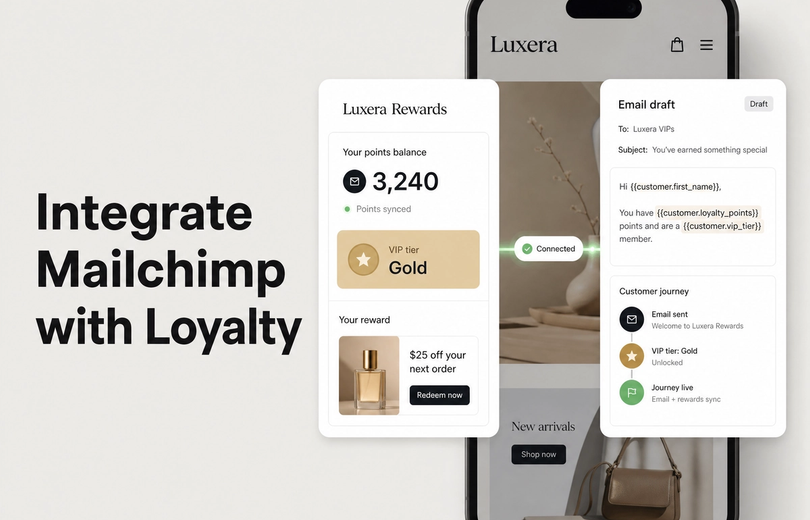
Here's what gets synced in real-time. When a customer earns points through a purchase, that Points Earned event fires immediately to Klaviyo. Their points_balance updates live. If they hit a tier threshold, the Tier Upgraded event triggers instantly, along with the new loyalty_tier property. When points approach expiration, Klaviyo sees the points_expiry_date property, enabling perfectly-timed reminder flows.
Beyond purchase-based data, Mage syncs engagement events that traditional integrations completely miss. Social actions like referrals create Referred Friend Purchased events. Reward redemptions log as Reward Redeemed events with the specific reward details. Non-monetary engagement—like following on social media or submitting a review—each generate their own trackable events. This transforms Klaviyo from a purchase-history tool into a complete engagement platform.
The next_tier_progress property is particularly powerful. It tells you exactly how far each customer is from their next milestone. Combined with Klaviyo's dynamic content blocks, you can show customers their personalized progress bar in emails. That small visual element drives surprising engagement lift because it makes progress tangible.
Real-time synchronization matters more than most merchants realize. If Klaviyo receives loyalty data on a delay—say, once daily—you miss the window for immediate trigger-based responses. A customer who just hit Gold status needs congratulations within hours, not days. Immediate syncing keeps your communications feeling relevant and timely.
“I looked into so many different integrations for loyalty and referrals for our Shopify Store, but no one impressed me more than Mage on human connection, customer service, and value.”


Read the Reelie case study →
Pre-Integration Setup: Laying the Foundation for Success
Before connecting the two platforms, take time to ensure your foundation is solid. Integration is only as effective as the underlying program structure supporting it.
Start by auditing your loyalty tiers, points earning rules, and reward options within Mage Loyalty. Are your tier names clear and aspirational? Do your point values feel fair relative to the effort required? Can customers easily understand how to earn and redeem? If your program structure is unclear, integration won't fix it—it'll just make confusion scale faster across your email list.
Review whether your point earning rules align with your business goals. You might optimize points earning rules to reward high-margin products over volume. You might encourage referrals more aggressively than purchases. These strategic decisions should be intentional and clear before integration, because they'll drive the segments and flows you build in Klaviyo.
Next, verify your Klaviyo account is fully connected to your Shopify store with proper API access enabled. Check your Klaviyo settings to confirm Shopify integration is active. You'll need API key permissions specifically for creating and updating customer profiles and events. Most integration issues trace back to permission gaps at this stage. Spend five minutes verifying your credentials now rather than troubleshooting later.
Understand what customer and order data Shopify already sends to Klaviyo. Email, first name, last name, order history, product purchases—all of that already exists in your Klaviyo account. Loyalty integration adds another layer on top. The two datasets will merge at the customer profile level, so your loyalty properties will enhance existing contact records rather than creating duplicates.
Step-by-Step: Connecting Mage Loyalty to Klaviyo
The technical connection is straightforward, but clarity at each step prevents common missteps.
Step 1: Install Mage Loyalty on Your Shopify Store
From your Shopify admin, navigate to the App Store. Search for "Mage Loyalty" and select the app. Click "Add app" and grant the necessary Shopify permissions. These permissions allow Mage to read your customer and order data and create the loyalty program on your store. Installation takes roughly two minutes.
Step 2: Authorize Klaviyo Connection within Mage Loyalty
Once Mage installs, open the app dashboard. Navigate to the Integrations section. Find Klaviyo in the list of available integrations. Click "Connect Klaviyo" and you'll be prompted to log into your Klaviyo account. This grants Mage permission to push customer profiles and events to Klaviyo. Confirm the permissions prompt—you're allowing Mage to create/update profiles and send custom events. Complete the authorization.
Step 3: Configure Your Custom Properties
Mage will display a list of properties it's prepared to sync to Klaviyo: loyalty_tier, points_balance, points_expiry_date, next_tier_progress, loyalty_join_date, last_loyalty_activity, and others. Confirm these are all enabled. You won't need to manually create these in Klaviyo—Mage handles that automatically. But ensure nothing is accidentally disabled.
Step 4: Verify Initial Data Sync
Wait 15-20 minutes, then check your Klaviyo account. Navigate to a customer profile of someone enrolled in your loyalty program. Scroll to the "Custom Properties" section. You should see loyalty properties populated with live data. If you see loyalty_tier: Gold or points_balance: 450, sync is working. If properties are blank, check that the customer actually belongs to your loyalty program within Mage, then wait another 10 minutes and refresh.
Step 5: Monitor the Sync Dashboard
Return to Mage's integration settings. Many platforms show sync status and error logs. Review these to ensure no data transmission failures are occurring silently. Occasional failures are normal, but persistent errors indicate a permissions or configuration issue requiring support.
Unlocking Personalization: Creating Klaviyo Segments with Loyalty Data
Once data flows into Klaviyo, segmentation becomes your next power move. Loyalty data enables segments that are impossible with purchase history alone.
What you get out of Klaviyo depends entirely on what you feed it. We make the case in this chapter of our ecommerce retention masterclass.
Output equals input
Almost every Shopify brand uses Klaviyo, and most use it at the surface: standard campaigns, standard win-back flows, offers based on purchase history. The output correlates directly with the input. Without loyalty data, you know the customer made a purchase. With it, you know they purchased three times, progressed to the next tier, then dropped off, and that they respond every time they receive a reward. That is a different conversation: message A for reward-responsive customers, message B for customers who respond to perks and exclusive access.
Loyalty data expands your segments horizontally. Beyond the tier and balance segments below, we build these first:
- Going inactive: members whose loyalty activity has slowed before their purchase data shows it
- Unspent points: a large balance sitting idle is a reason to return that costs you nothing new
- Close to the next tier: one order away from unlocking something
- About to drop a tier: rolling-year status that expires soon
- Reward-responsive vs perk-responsive: customers who act on rewards, and customers who act on early access and exclusivity
No customer in the loop should receive the same messaging as every other customer. For what to send each segment, see our guide to segmenting loyalty members for higher email ROI. The same tier data can change the storefront too; see personalising your Shopify storefront by VIP tier. Both rely on Shopify VIP tiers with clear thresholds so the segments mean something.
Segmenting by Loyalty Tier
Create a segment for each tier: "Bronze Members," "Silver Members," "Gold Members." This sounds obvious but opens sophisticated possibilities. You might send tier-specific onboarding content, exclusive tier benefits, or progression incentives. A Bronze member email might emphasize the benefits waiting at Silver. A Gold member email might focus on exclusive perks they've earned. Same audience, wildly different messaging based on status.
Points Balance Segmentation
Build segments around points levels. "High Points Balance (1000+)" captures customers sitting on rewards they haven't redeemed. These need redemption reminder flows. "Low Points Balance (0-200)" captures customers who've either just redeemed or recently joined. These benefit from "here's how to earn fast" content. "Medium Points Balance (200-1000)" is your growth segment—encourage them toward redemption or the next tier.
Points Expiry Urgency Segments
Create a segment: Points Expiry Date is within 30 days AND Points Balance > 100. These customers will lose value if you don't act. They're prime candidates for expiry warning campaigns that create redemption urgency. The fact that they have substantial points makes the message feel generous ("use what you've earned") rather than scarcity-driven.
New Loyalty Members
Segment customers by Loyalty Join Date in the last 30 days. These members need a different experience than veterans. Your welcome flow to this segment should educate about the program, celebrate their first earning opportunity, and set expectations for benefits ahead. Veterans rarely need that education.
Lapsed Loyalty Members
Build a segment where Last Loyalty Activity is more than 90 days ago. These customers joined, maybe earned points, then disengaged. They're ideal win-back candidates. A targeted campaign reminding them of accumulated points and exclusive reactivation offers can resurrect dormant loyalty relationships.
Birthday and Anniversary Segments
Klaviyo stores birthday data natively. Create a segment for Birthday is this month, then combine it with loyalty membership. Send these customers a special points bonus on their birthday. The gesture costs you nothing but changes how customers perceive your brand. They're getting recognized and rewarded for being yours.
Building High-Impact Loyalty Flows in Klaviyo
Segments are your audience. Flows are your conversations. The most sophisticated integration means nothing without flows that actually convert.
The Welcome Flow: Turning New Members into Engaged Advocates
Trigger: A customer joins your loyalty program. The Joined Loyalty Program event fires from Mage. This is your moment to shape expectations and create early momentum.
Email 1 (Immediate): Welcome them warmly. Explain what they've just joined and why it matters. Show their starting points balance. Make it clear this program is about recognition, not guilt.
Email 2 (Day 2): Show them how to earn. If you have multiple earning methods—purchases, referrals, reviews, social shares—highlight one or two that match their profile. If it's a first purchase, make the next purchase feel close and rewarding.
Email 3 (Day 7): Introduce tiers. Show the progression path. Maybe they're already 30% of the way to Silver. That visualization drives ambition. Include a reward they can redeem immediately if you offer small-value options.
Mage provides the triggering event and the initial points_balance property. Klaviyo handles the sequencing and messaging. This flow's success metric is simple: what percentage of welcomed members make a second purchase within 30 days? If it's below 40%, the flow needs sharper urgency or clearer value communication.
Tier-Up Celebration Flow: Recognizing and Rewarding Progress
Trigger: Tier Upgraded event from Mage. A customer just crossed a threshold. Treat this moment like the achievement it is.
Email 1 (Immediate): Congratulations. Show what they achieved and what they've unlocked. If your new tier includes free shipping or exclusive access, highlight it prominently. Make the upgrade feel momentous.
Email 2 (Day 3): Go deeper into tier benefits. Some merchants offer tier-specific discount codes or exclusive product access. Introduce those. Show why continuing to engage in this tier is worth the effort.
Email 3 (Day 10): Highlight the next tier. Show how far they are from the next level. If they're close, create urgency. If they're far, celebrate where they are rather than pushing too hard.
Mage passes the Tier Upgraded event and the new loyalty_tier property. You can dynamically pull the tier name into emails. The conversion metric here is tier sustainability—what percentage of newly promoted members maintain that tier 90 days later? Promotion is hollow if it doesn't stick.
Points Balance Reminder & Expiry Warning Flow: Driving Redemptions
Trigger: Segment-based. Points Balance > 500 AND Points Expiry Date < 30 days.
Email 1 (Day 1): Lead with their current balance. "You have 750 points expiring in 28 days." Show available rewards. Make redemption feel effortless with a prominent CTA to your loyalty page. Include their setting up points expiry strategy within the message if relevant.
Email 2 (Day 10): Narrow the window. "10 days left." Show which rewards are most popular or best-valued. Create FOMO—not about missing the reward forever, but about missing this specific value before points reset.
Email 3 (Day 27): This is urgent. "Your points expire in 3 days." Make redemption the only path forward. Offer bonus points if they redeem by day 30, or clarify what happens to unused points (do they carry over at reduced value, or reset?).
Mage syncs points_balance and points_expiry_date automatically. This segment updates daily, so customers flow in and out as their expiry date approaches and passes. The metric here is redemption rate—what percentage of members in this segment actually redeem before expiry? A healthy program sees 60%+ redemption. Anything below 40% suggests your reward catalog isn't compelling.
The Win-Back Flow: Re-engaging Dormant Loyalty Members
Trigger: Segment-based. Last Loyalty Activity > 90 days OR (Points Balance > 100 AND no purchases in 90 days).
Email 1 (Immediate): Acknowledge the gap. "We've missed you" isn't manipulation—it's truth if you value their membership. Remind them of points they've accumulated. Make a gentle ask: come back.
Email 2 (Day 3): Make a specific offer. This might be bonus points for their next purchase, an exclusive discount available only to reactivating members, or a free gift with purchase. The offer should feel valuable enough to overcome activation friction.
Email 3 (Day 10): Show what's new. Product launches, new rewards in the catalog, tier milestones they're close to hitting. Give them fresh reasons to care beyond loyalty mechanics.
Mage provides last_loyalty_activity timestamp and points_balance data. Klaviyo handles the sequence. This flow's metric is reactivation rate—what percentage of win-back recipients make a purchase within 30 days? For a well-constructed flow with a genuinely compelling offer, expect 15-25% reactivation.
Birthday/Anniversary Reward Flow: Personalized Celebrations
Trigger: Segment-based. Birthday is today or this month. Combined with loyalty membership.
Email 1 (On their birthday): Make it personal. Use their first name. Express genuine gratitude for their loyalty throughout the past year. Include a special gift—maybe bonus points equivalent to 10% of what they've earned, or a small free product. Time this to hit their inbox before they've finished their morning coffee.
The beauty of this flow is its simplicity. One well-timed email often outperforms multi-email sequences because the gesture is concentrated and meaningful. Birthday messaging typically sees 40%+ open rates because people expect and appreciate brand acknowledgment on their day.
Beyond Points: Why "Engagement-First" Loyalty is the Future for Modern Merchants
Here's an uncomfortable truth that contradicts standard loyalty advice: points-based programs are becoming insufficient for retaining modern customers, especially younger demographics.
Points work. They've worked for two decades. But they're not enough anymore. Gen Z customers, who now represent 25% of ecommerce buyers and growing, don't primarily shop for discounts. They shop for belonging. They shop for values alignment. They shop for experiences their friends envy.
A 2024 industry analysis found that 62% of Gen Z consumers would choose a brand that shares their values over one offering deeper discounts. Another study indicated that experiential loyalty rewards—early access, exclusive community, behind-the-scenes content, co-creation opportunities—drive 3.8x higher engagement than price-based rewards alone.
This doesn't mean abandon points. It means layer meaning on top of them. Use Klaviyo to communicate loyalty as a community membership, not a transaction counter. Highlight which tier unlocks exclusive content, member-only events, or early product access. Recognize milestones not just as point accumulation but as partnership anniversaries.
Mage Loyalty enables this philosophy through features beyond pure points: member-exclusive content drops, early product access for VIP tiers, community challenges that reward engagement over spending, personalized recognition, and non-monetary rewards like charity donations made on behalf of top members.
In Klaviyo, this translates to flows that celebrate identity, not just transactions. Instead of "spend $500 and get a discount," your messaging becomes "you're part of an exclusive community shaping where this brand goes." Instead of "buy more to reach Gold," it's "Gold members help choose our next product line." The loyalty program becomes the gateway to brand ownership, not just purchase incentives.
Track engagement-first metrics alongside transactional ones: community participation rate, exclusive content downloads, survey responses, referral quality. These metrics often predict customer lifetime value more accurately than spending amount alone.
Optimizing Your Flows: A/B Testing and Analytics
A perfectly integrated loyalty-Klaviyo setup is only a foundation. Optimization is ongoing.
Key Metrics to Monitor
Track open rates and click-through rates across your loyalty flows—they tell you if your messaging is resonating. But don't stop there. Track the specific conversion you care about: redemptions from points reminder flows, purchases from win-back campaigns, tier advancement from progression flows. Overlay revenue data. Which flows drive the most customer lifetime value, not just the most clicks?
Set baseline expectations. Welcome flows typically see 35-50% open rates if well-timed. Expiry warning flows see 40-60% because they address immediate value. Win-back flows often see 25-35% unless your offer is especially compelling. Compare your performance against these benchmarks.
A/B Testing Strategy
Your first test should be subject line strength in welcome flows. Generic ("Welcome to our loyalty program!") versus specific ("You just unlocked 500 bonus points"). Run this test across 20% of new members. Track which subject line drives higher open rates and, more importantly, higher redemption or purchase rates 30 days out.
Next, test offer strength in win-back campaigns. Control group gets "10% off your next purchase." Test group gets "100 bonus points on your next purchase" (assuming equal value). Which reactivation rate is higher? Different audiences respond to different incentive frames.
Test email frequency. Is your welcome flow better as 2 emails over 7 days or 3 emails over 10 days? Do anniversary flows perform better on the actual birthday or two days before? Small timing changes often yield surprising results.
Run 4-week test cycles. Changes in loyalty program performance take time to compound. You need sufficient sample size to see statistical significance.
Iterative Improvement Rhythm
Review your flows monthly. Look at segment growth, flow conversion rates, and revenue attribution. What's working? Double down. What's underperforming? Either improve the flow or pause it. Momentum comes from killing mediocrity faster than most merchants do.
Create a shared dashboard showing key loyalty metrics to your team. Make loyalty program performance as visible as overall revenue. What gets measured and discussed gets prioritized and improved.
Troubleshooting Common Integration Challenges
Integration usually works smoothly. But when it doesn't, knowing where to look saves hours.
Data Mismatch or Delay
Symptom: You see loyalty data in Mage but not in Klaviyo, or it appears hours later than expected.
First check: Confirm the customer actually joined your loyalty program within Mage. If someone is a Shopify customer but hasn't opted into loyalty, there's no data to sync.
Second check: Verify Klaviyo integration is enabled within Mage settings and hasn't been accidentally disconnected.
Third check: Look for API errors in Mage's integration logs (if available in your dashboard). Permission errors often appear here.
Fourth check: In Klaviyo, navigate to Settings > Account > API Keys. Confirm a key exists and hasn't been revoked. If unsure, generate a new key and reconfigure in Mage.
Flows Not Triggering
Symptom: You've built a flow in Klaviyo but it's not sending.
First check: Confirm the trigger event matches what Mage is sending. If your flow triggers on tier_upgraded but Mage sends Tier Upgraded, there's a case-sensitivity mismatch. Check exact event naming in both platforms.
Second check: Review your flow's conditions. Maybe you set a condition like "only to customers with loyalty_tier containing 'Silver'" but no one currently qualifies. Test the condition logic.
Third check: Is the flow enabled? Klaviyo sometimes disables flows accidentally. Check the flow status toggle.
Fourth check: Look at your Klaviyo deliverability settings. Confirm emails aren't being blocked due to domain authentication issues or spam complaints.
Segment Definition Issues
Symptom: Your segment shows 0 members when you know members should qualify.
First check: Confirm the property name matches exactly. Klaviyo is case-sensitive. loyalty_tier is not the same as Loyalty_Tier.
Second check: Test your condition with real data. Navigate to a customer profile you know should be in the segment. Check what value their property actually contains. Does "Gold" match your segment condition of "equals: Gold"? Sometimes data contains extra spaces or capitalization differences.
Third check: Check when the segment was created versus when data started syncing. If you created the segment before Mage's data sync completed, no one will have loyalty properties yet. Run the segment again after waiting 30 minutes.
API Key and Permissions Errors
Symptom: Integration shows "disconnected" or "unauthorized" status.
First check: Generate a new API key in Klaviyo (Settings > Account > API Keys > Create). Copy the full key, including any prefix.
Second check: In Mage's integration settings, disconnect and reconnect, pasting the fresh API key.
Third check: Confirm your Klaviyo account plan supports API access. Some older or free-tier accounts may not.
Fourth check: If errors persist, contact support for both platforms. Share your Mage account ID and Klaviyo account email with them. They can verify permissions from the server side.
Conclusion
A deeply integrated Mage Loyalty and Klaviyo setup transforms how you build customer relationships. You're no longer managing loyalty and email as separate initiatives. You're orchestrating a unified experience where every communication acknowledges where customers are in their journey and where you want to guide them next.
The step-by-step integration is simple. The segmentation and flow-building follow proven patterns. But the real value lies in the mindset shift: from broadcasting campaigns to having conversations. From generic offers to contextual recognition. From hoping customers stay to actively earning their engagement.
Start with the welcome flow and one expiry reminder flow. Master those. Prove the concept with your data. Then expand to win-back, tier celebrations, and beyond. Each flow you add builds on the sophistication of your data and your understanding of what moves your specific audience.
The brands winning in 2025 aren't the ones with the fanciest loyalty programs. They're the ones with the most aligned loyalty and email strategies. This guide gives you the blueprint. Explore Mage Loyalty today to start building that integration, or view Mage's pricing plans if you're ready to get started immediately.
Frequently Asked Questions
What happens to my existing Shopify customer data when I connect Mage Loyalty to Klaviyo?
Existing Shopify customer data in Klaviyo remains unchanged. Mage adds loyalty-specific properties and events on top of your existing customer profiles. The integration enhances what Klaviyo already knows about each customer; it doesn't overwrite or replace purchase history or behavioral data. Both datasets live on the same contact record.
How quickly does loyalty data sync from Mage to Klaviyo after a customer action?
Mage pushes customer events to Klaviyo in real-time or near-real-time (typically within minutes). When a customer earns points, redeems a reward, or upgrades tiers, that event is transmitted immediately. This enables timely, trigger-based communications rather than batch delays. For high-volume stores, occasional queue delays of up to 30 minutes can occur during peak traffic, but these are rare.
Can I segment Klaviyo lists based on specific loyalty rewards redeemed?
Yes. Mage syncs Reward Redeemed events with reward details, and the Reward Redeemed custom property tracks specific rewards. You can build segments like "redeemed free shipping reward" or "redeemed discount code." This enables follow-up campaigns tailored to reward type. For example, customers who redeemed a discount might receive complementary product recommendations, while those who redeemed free shipping might receive cross-sell suggestions for their next purchase.
Are there any limitations on how many custom properties or events Mage can sync to Klaviyo?
Mage syncs a standard set of loyalty properties and events without artificial limits. Klaviyo itself supports unlimited custom properties and events per contact. The practical limit is Klaviyo's API rate limits, which Mage navigates automatically. For stores under 500,000 contacts, you'll never encounter throttling. Very large stores should contact Mage support to discuss their specific data volume, but this is rarely a constraint.
Can I use the Mage-Klaviyo integration for SMS loyalty communications as well?
Yes. Klaviyo supports SMS alongside email, and loyalty data syncs to both channels. Build SMS flows using the same triggers and segments—for example, send an SMS when points are about to expire or when a customer upgrades tiers. SMS typically sees higher open rates than email, so points balance reminders and tier celebrations often perform exceptionally well via SMS.
What support is available if my Mage-Klaviyo integration breaks or data stops syncing?
Both Mage and Klaviyo offer merchant support. Start with Mage support (within your app dashboard or at support@mageloyalty.com) if integration issues appear. They can verify the connection status, check API logs, and resync historical data if needed. For Klaviyo-side issues, contact Klaviyo support directly. Most integration issues resolve within 24 hours.

Graeme is the co-founder at Mage Loyalty. He heads product development, from complex loyalty migrations and large-scale data handling to building the features shaping the future of loyalty on Shopify.