The useful klaviyo loyalty flows respond to something a customer just did, then show the loyalty status that is true right now.
Short answer: Build welcome, birthday, tier upgrade, points or credit expiry, wishlist reminder, back-in-stock, gift reminder, and inactivity flows. Each needs a reliable trigger, current loyalty context, one clear action, and safeguards against duplicate, mistimed, or irrelevant emails.
How to build Klaviyo loyalty flows that use real loyalty data
| Data type | Use it for | Examples | Where it appears in this article |
|---|---|---|---|
| Event property | Explaining what just happened | Points earned, new tier, expiring points, reminder number | Welcome, tier, expiry, birthday, gift flows |
| Profile property | Showing the customer’s current state | Points balance, lifetime points, VIP tier, enrolled date | Tier, inactivity, welcome flows |
| Flow filter | Preventing irrelevant sends | Marketing consent, purchase after trigger, recent email | Wishlist, expiry, win-back flows |
The difference between a Klaviyo profile property and event property
An event property describes the moment that triggered the flow. A tier-change email can use the new and previous tier names. An expiry email can show points expiring and days remaining.
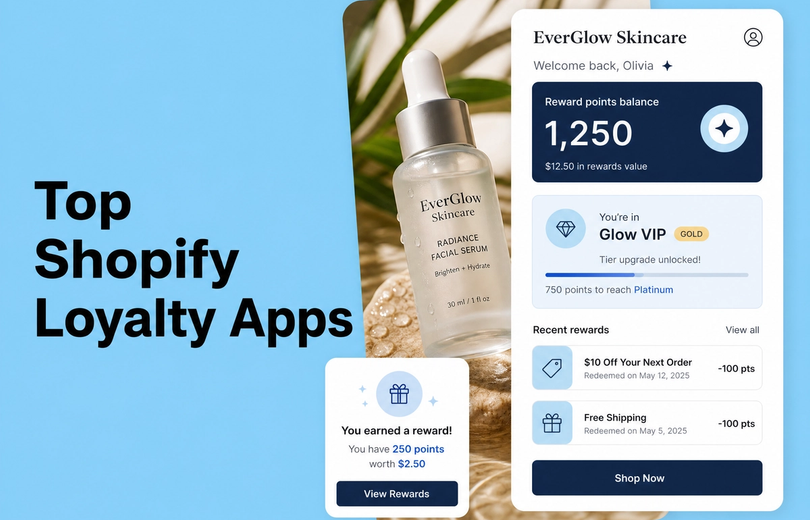
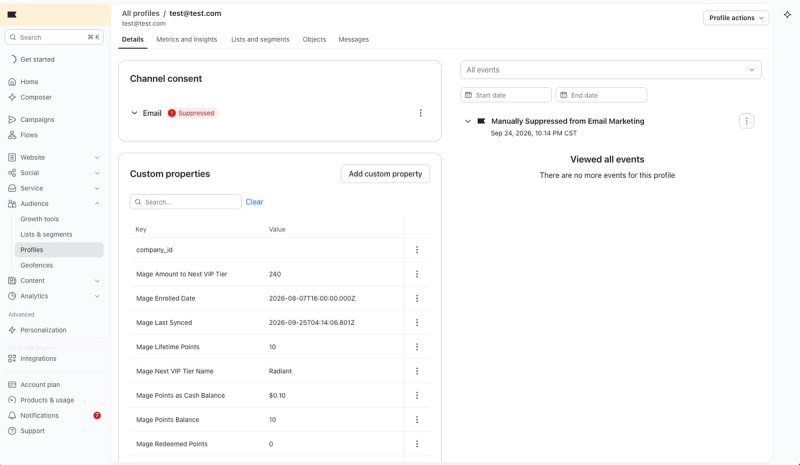
A profile property is the latest known customer state. Mage syncs points balance, lifetime points, redeemed points, VIP tier name, date of birth, enrolled date, and points as cash balance to Klaviyo. That gives a Shopify loyalty program a live data layer instead of static campaign copy.
The minimum setup before creating the eight flows
Connect the loyalty platform, sync customers, then send test events to a controlled profile before designing an email. Mage’s Klaviyo integration can send structured loyalty events and current profile properties into Klaviyo.
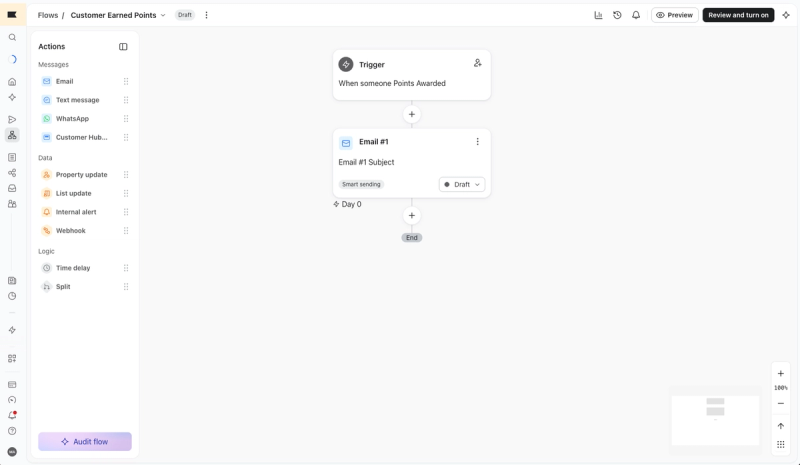
Build each flow around four parts: trigger, current context, one action, and suppression logic. A tier event should explain the benefit the customer unlocked.
Consent, Smart Sending, re-entry, and testing rules
Promotional email should go only to customers who agreed to receive marketing email, as Shopify’s subscriber guidance requires. Review Smart Sending too. It can skip an event-triggered email if the same customer received another message within the configured window.
Allow re-entry where the moment can happen again, such as tier changes, gift reminders, wishlist alerts, and expiry windows. Test the event payload and every fallback value before activating the flow.
“I looked into so many different integrations for loyalty and referrals for our Shopify Store, but no one impressed me more than Mage on human connection, customer service, and value.”


Read the Reelie case study →
Strategy 1: The welcome flow for new loyalty members
Trigger: loyalty enrollment, not just newsletter signup
Trigger this flow when a customer joins the loyalty program. Mage Welcome fires once at enrollment and includes Current Points, which may be zero or a configured signup bonus.
A newsletter welcome explains the brand. A loyalty email explains what the customer can earn, where they can see their balance, and what action makes the balance useful.
Loyalty variables to include
Show the current balance, two or three practical earning actions, and one redemption path, such as a reward available at checkout.
If the program awards a signup bonus, state the amount that was actually credited. Do not promise a reward that has not been issued.
The mistake: treating every subscriber as a loyalty member
A generic welcome discount tells customers to buy again without explaining why they should care about the program. Use a short onboarding sequence only if the customer has not already received the same education through another flow.
Reusable layouts and copy blocks can save time. These loyalty email templates are a better starting point than rebuilding the same explanation for every campaign.
Strategy 2: The birthday reward flow in Klaviyo
Trigger: birthday reward event or date-based segment
Use Mage’s Birthday event when birthday points are awarded. It includes Customer Name, Shop Name, Points Earned, and Current Points.
The customer must save a date of birth before the birthday reward can be awarded. Birthday rewards are issued once a year.
Loyalty variables to include
Lead with the birthday reward amount, then show the updated balance. Follow with one focused product or collection CTA rather than a broad catalogue browse.
The event confirms that a reward exists. A date field alone does not prove the points were awarded or that the customer is eligible to receive promotional email.
The mistake: collecting birthdays without explaining the payoff
Explain what customers receive and where the reward will appear.
Keep one birthday earning rule. Duplicate birthday rules can award points twice, creating a support problem that the email flow cannot fix.
Strategy 3: The tier upgrade email for Klaviyo
Trigger: VIP Tier Changed
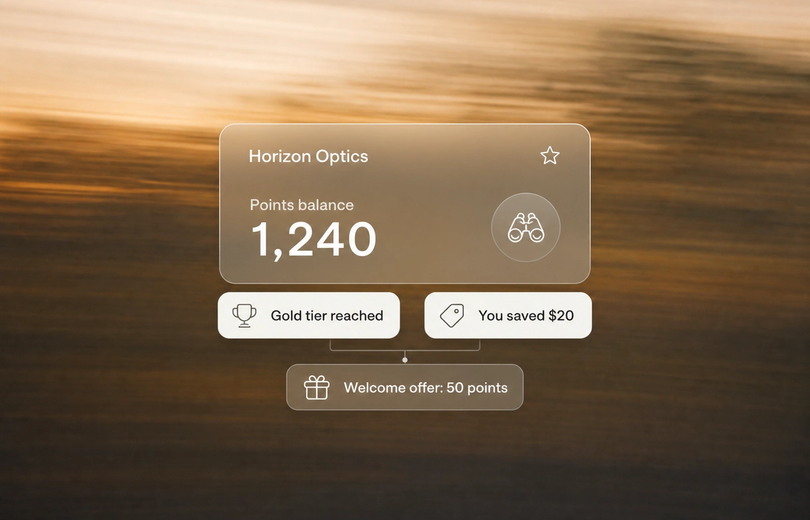
Use VIP Tier Changed when a customer’s VIP tier changes. The event includes New Tier Name and Previous Tier Name, so the email can say what changed rather than offering a vague congratulations.
Loyalty variables to include
Use the event for the new tier. Use profile data for the current tier, lifetime points, and any available progress information. Then name the exact benefit the customer unlocked.
That may be a faster points multiplier, early access, automatic discount, upgraded shipping, or a different birthday reward. Only mention benefits configured in the program. Link customers to their account or Shopify VIP tiers page where they can review the rules.
The mistake: announcing status without explaining the benefit
“Welcome to Gold” is incomplete. The customer needs to know what Gold changes on their next order and whether status has a retention window or annual reset.
Use one CTA, such as “View your benefits.”
Strategy 4: The points and credit expiry flow
Trigger: Points Expiry Soon
Mage’s Points Expiry Soon event fires when points expire within the next seven days. It aggregates expiring amounts into one event per customer per seven-day window, which prevents repeated alerts for separate earning rules.
The event must be enabled before it can fire. Points expiry is off by default, so an expiry email should never be the first sign customers receive that their balance has a deadline.
Loyalty variables to include
Use Points Expiring, Current Points, Days Until Expiry, and Customer Name. Put the expiring amount and the remaining days near the top of the email.
The CTA should take the customer to rewards or their loyalty account, not a generic homepage. For a deeper workflow, see these Klaviyo flows for unused store credit.
The mistake: creating urgency before the balance can be used
Set the expiry window to match the store’s normal purchase cycle, and explain the policy before balances begin expiring.
Also check that the customer can actually redeem the balance through the page linked in the email.
Strategy 5: The wishlist reminder email
Trigger: Wishlist Reminder
Wishlist Reminder fires when an item remains saved after the configured delay. This is a consideration message, not an inventory alert and not a discount announcement.
Loyalty variables to include
Use the saved-item count and product content where the connected catalogue and email setup support it. Do not assume undocumented event fields for product names, images, prices, or URLs.
Give one action: return to the wishlist, review a saved collection, or move an item to cart.
The mistake: reminding without showing the saved products
A message saying “You left items behind” has little value if it cannot show useful context. Suppress the flow after purchase or removal.
Keep the delay long enough that the email feels like a reminder, not a reaction to a casual product browse.
Strategy 6: The wishlist back-in-stock flow
Trigger: Wishlist Back in Stock
Wishlist Back in Stock should be a separate flow because availability creates a different reason to act. Mage batches these events per customer with a 24-hour cooldown.
Lead with the product being available again. The customer does not need a general explanation of the loyalty program before they see the item they wanted.
Loyalty variables to include
Use product name, image, availability context, and a direct product URL when those fields are available through the connected catalogue or email setup. Add the current points balance only if it can help the customer redeem a relevant reward.
The mistake: treating inventory availability as a loyalty reward
Back in stock is not a reward. It is an operational product update tied to a customer’s saved intent.
Use purchase suppression and product prioritization so a shopper does not receive several alerts after buying. Keep this flow separate from reminder messages because availability creates different urgency.
Strategy 7: The gift reminder flow
Trigger: Gift Reminder
Gift Reminder fires when a saved occasion reaches a configured interval, such as 30, 14, or 7 days before the date. It can include recipient name, relationship, occasion type, occasion date, days remaining, reminder number, and discount code.
The first reminder creates the unique discount code. Follow-up reminders reuse it, which avoids issuing a new code at every touchpoint.
Loyalty variables to include
Use the occasion details to make the message useful. A birthday reminder for a customer’s sister should not look like a broad seasonal campaign.
At 30 days, help with planning and ideas. At 14 days, focus on narrowing choices. At 7 days, lead with urgency and shipping guidance if that is relevant to the store.
The mistake: sending the same message at every interval
Use Reminder Number to vary the angle, product selection, and call to action.
Keep all relationship data customer-provided. Do not make assumptions about the recipient, occasion, or what an appropriate gift should be.
Strategy 8: The inactivity and win-back flow
Trigger: inactivity segment or time since last purchase
Inactivity is usually a segment-triggered or date-based Klaviyo flow, not a documented Mage event. Define the inactivity window around the store’s normal purchase cycle, not an arbitrary 30-day rule.
Shopify documents native win-back automations based on time since last order. Klaviyo becomes more useful when the re-engagement decision also considers loyalty balance, status, and past behaviour.
Loyalty variables to include
Split customers by points balance, lifetime points, VIP tier, enrollment date, recent redemption, subscription status, or wishlisted products. A high-tier customer with unused points deserves a different message from a first-time buyer who never engaged.
For high-value members, lead with status, early access, saved products, or available rewards before offering a discount. Use this guide to spot at-risk customers before they churn when choosing the segment criteria.
The mistake: treating all inactive customers as equally valuable
A blanket discount trains some customers to wait. It also spends margin on people who might have returned without it.
Start with the customer’s actual reason to come back. A balance they can use, a tier they worked toward, or a saved item is more specific than “we miss you.”
How to launch and QA all eight klaviyo loyalty flows
| Check | Why it matters | Example failure | Fix before launch |
|---|---|---|---|
| Test event received | Makes custom properties available | Email editor cannot find event data | Send a test event to a controlled profile |
| Dynamic defaults set | Prevents blank values | Zero-point balance renders empty | Add a default value |
| Consent and suppression checked | Avoids irrelevant sends | Unsubscribed customer enters a promotion | Apply marketing consent and suppression rules |
| Re-entry reviewed | Prevents missed or duplicate messages | Tier change never sends again | Set re-entry for repeatable events |
| Destination tested | Makes the CTA usable | Expiry email links to a generic homepage | Link to rewards, account, or product page |
A practical launch order
Launch welcome first, then tier upgrade, birthday, expiry, gift reminder, wishlist reminder, back-in-stock, and inactivity.
Enable only the event types the store plans to use, then send test events and confirm that the intended event appears in Klaviyo.
Test events and dynamic variables
Send test events to your own profile before building each flow. Confirm the event appears in profile activity, inspect the payload, and preview every dynamic field.
Test zero values and missing names. A points field can render blank without a default value, which makes a loyalty email look broken even when the trigger worked.
The pre-launch checklist
Review Smart Sending, subscription status, flow filters, delays, re-entry rules, and overlap with related flows. Check that the loyalty page, reward destination, balance, and expiry policy match the email copy.
Do not publish an expiry or birthday flow until the customer-facing program configuration is live. The email should report a real customer benefit, not announce a setting still being built.
Tying it all together: turn loyalty events into useful customer moments
Use the event to explain what happened
The strongest klaviyo loyalty flows tell customers why they received the email. They earned a birthday reward, reached a new tier, have points expiring, or saved an item that is available again.
Use profile data to show what is true now
Event properties describe the moment. Profile properties show the current balance, tier, and history. Use both, but do not confuse them.
Use the CTA to make the next action obvious
One email should lead to one practical action: review rewards, shop a saved product, view tier benefits, or redeem before expiry. Mage makes the loyalty-specific setup more direct by syncing structured events and current loyalty properties into Klaviyo.
Frequently asked questions
What are Klaviyo loyalty flows?
Klaviyo loyalty flows are automated emails triggered by loyalty events, customer dates, segments, or saved-product behaviour. They work best when the message combines the event that occurred, current profile data such as a points balance or VIP tier, and one relevant action the customer can take next.
How do I create a tier upgrade email in Klaviyo?
A tier upgrade email in Klaviyo uses the VIP Tier Changed event as its trigger. Include New Tier Name and Previous Tier Name from the event, show the customer’s current tier data, name the newly unlocked benefits, allow appropriate re-entry, and test the event before making the flow live.
What should a points expiry email include?
A points expiry email should include the expiring amount, current balance, days until expiry, and a direct route to redeem. Mage’s Points Expiry Soon event covers points expiring within seven days, but expiry and the Klaviyo event must be enabled before a customer can enter the flow.
How does a birthday reward flow work in Klaviyo?
A birthday reward flow in Klaviyo sends after a birthday reward is awarded to an eligible customer. The customer must have saved a date of birth, and the email should show points earned and current balance while respecting marketing consent. Keep only one birthday earning rule to avoid duplicate awards.
How do I build a wishlist reminder email?
A wishlist reminder email uses a configured delay after an item remains saved in the customer’s wishlist. Show useful saved-product context where supported, link back to the wishlist, and suppress the email after purchase or removal. Keep it separate from back-in-stock and price-drop messages because those events create different urgency.
Can Shopify create loyalty and birthday automations without Klaviyo?
Shopify can create native marketing automations for welcome subscribers, birthdays, VIP customers, and win-back messages. Klaviyo is more suitable when you need structured loyalty events, conditional segmentation, and dynamic loyalty profile properties from an integration such as Mage. Shopify’s automation guidance outlines the native options.
Build the flow around the customer moment, then verify the data and destination before you send it. If you want structured loyalty events and synced profile data through a documented integration, Mage Loyalty is built for that. Book a demo.

Graeme is the co-founder at Mage Loyalty. He heads product development, from complex loyalty migrations and large-scale data handling to building the features shaping the future of loyalty on Shopify.