To reward customers for photo reviews, define the format rules first, connect the review event second, and only then promote the offer. A review reward should fire after a customer submits a qualifying format, then add the right amount to their loyalty balance.
Short answer: Pay for the effort and usefulness of the submission, not its rating or sentiment. A practical starting ladder is a base reward for text, twice that for a qualifying photo, and three times that for a useful video. Mage Loyalty documents a photo-specific reward amount for Loox, while Judge.me uses one review amount and the documented Reviews.io workflow cannot map photo or video counts.
Start with a reward structure that pays for effort, not praise
| Review format | Relative reward | Qualification example | Important restriction |
|---|---|---|---|
| Text review | Base reward | Relevant written feedback about the product | Never require a positive rating |
| Photo review | Double reward | Product is visible and the image relates to use, fit, texture, or result | Do not reward stock images or unrelated uploads |
| Video review | Triple reward | Short, useful demonstration or product-in-context clip | Moderate before issuing the reward |
Use a simple ladder customers can understand in one read: base points for an honest text review, double for a review with a useful photo, and triple for a useful video. The exact points amount depends on your reward economics, but the relative difference gives customers a reason to add media without turning every review into a bounty.
The condition should be submission format and basic completeness. A photo should show the product or its result in context. A video should show a real use case, fit, application, unboxing, or demonstration. Neither should need a five-star rating, favorable wording, or a particular conclusion.
Review rewards belong inside a broader Shopify loyalty program, alongside purchase, birthday, referral, and engagement rewards. Customers need to understand what points are worth before a larger visual-review reward changes their behavior.
Set the reward value before choosing the points amount
Start with the cash value you can afford for a usable review asset, then convert that value into points using your existing redemption rate. Use the same approach you would use to calculate your loyalty reward rate, rather than choosing a large round number because it sounds generous.
A visual review is only valuable if it helps a customer decide. Beauty brands may ask for texture and application. Apparel brands may ask for fit and scale. A beauty loyalty program can make visual proof especially useful because customers often want to see product finish and real-world results.
“I looked into so many different integrations for loyalty and referrals for our Shopify Store, but no one impressed me more than Mage on human connection, customer service, and value.”


Read the Reelie case study →
Audit Shopify and FTC rules before you offer an incentive
The Shopify Shop restriction
Shop has a stricter rule than a general storefront review program. Shopify’s merchant guidelines say merchants should not offer compensation for Shop reviews, including money, discounts, free products, or refunds, and review requests should remain neutral rather than soliciting positive reviews (Shopify’s Shop merchant guidelines).
A disclosure does not make an incentivized Shop review acceptable. If your reward appears around reviews collected for Shop, pause and confirm the review destination before launching.
Shop can display eligible reviews with images or videos from third-party partner apps, subject to its requirements (Shop product reviews documentation). Display eligibility does not change the compensation rule.
What FTC guidance allows and prohibits
Do not tie an incentive to a five-star review or another specific positive sentiment.
“Earn points for an honest review with a photo” is format-based. “Earn points for a positive review with a photo” is sentiment-based.
The documented Reviews.io workflow uses triggers called “New Positive” company and product reviews. Do not use that workflow as-is for a neutral incentive program. A reward that fires only after positive sentiment creates the condition your program should avoid.
Write neutral incentive language
Use plain terms in your review request and program rules:
Receive points for an honest review. Add a qualifying photo for more points, or a useful video for the highest reward. Your rating and opinion do not affect eligibility.
Your loyalty program terms should cover eligibility, duplicate submissions, moderation, reward timing, disclosure, and qualifying media. Have legal counsel review the final wording for your market and review destination.
How to reward customers for photo reviews with Mage Loyalty
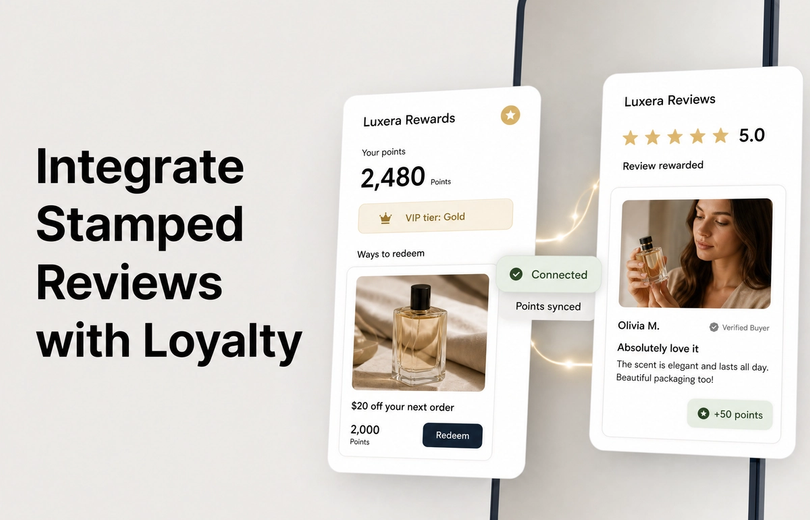
In Mage, create a Leave a Review earning rule and select the review app that will send the review event. Mage can reward review actions with points, and connected workflows can support higher rewards for photo or video reviews where the required event data is available.
Use points if points are already your loyalty currency. Use Mage store credit only if that is how your program is designed. Mage’s loyalty store-credit mode is a Mage ledger, not the customer’s Shopify-native store-credit balance.
Set the base amount for the lowest-effort qualifying review first. Then add a photo-specific amount only where the review workflow supports it.
If you are still choosing a review tool, compare the best Shopify review apps before configuring rewards.
Add eligibility controls
Frequency limits protect the program from repeat submissions. One review every seven days is a documented example, but your own limit should reflect your catalog, purchase cycle, and moderation capacity.
Approval time is useful when you need to check a review before points are released. The reward can remain pending while you review duplicate submissions, irrelevant media, or uploads that do not meet your criteria.
Judge.me’s documented workflow rewards a customer once per product reviewed. Additional reviews of the same product do not earn again (Mage’s review earning rule guide).
Explain the offer in the loyalty experience
Add the rule to your Ways to Earn messaging and mention it in the post-purchase review request. State the reward, media condition, moderation timing, and the fact that honest criticism remains eligible.
For documented Loox and Reviews.io Flow workflows, customers must already be enrolled in the loyalty program before points can be awarded. Make enrollment visible before a customer reaches the review form.
Set up Judge.me, Reviews.io, or Loox for review rewards
| Review app | Event path | Photo-specific amount documented? | Video-specific amount documented? | Key limitation |
|---|---|---|---|---|
| Judge.me | Direct Mage integration | No | No | One reward amount per qualifying product review |
| Reviews.io | Shopify Flow | No | No | Documented triggers are positive-review triggers |
| Loox | Shopify Flow | Yes | No | Photo URL must be mapped for the photo amount to apply |
Judge.me: one review amount, automatic detection
Judge.me is the simpler flat-rate setup. Connect it under Mage Loyalty Integrations, then create a Leave a Review rule, select Judge.me, enter the points amount, optionally set a frequency limit, enable the rule, and save it.
Once connected, Mage automatically detects qualifying Judge.me product reviews and awards the configured amount. You can review the full connection process on the Judge.me integration page.
The documented setup uses one points amount per qualifying review. It does not document separate amounts for text, photo, and video submissions. Do not assume a photo attached in Judge.me will trigger a higher amount.
Reviews.io: Shopify Flow and a major limitation
Reviews.io requires Shopify Flow. Create the Leave a Review rule in Mage, choose Reviews.io, configure the base points amount, add an optional frequency limit, enable it, and save.
Then create a Flow for each available review trigger. The documented triggers are New Positive REVIEWS.io Company Review and New Positive REVIEWS.io Product Review. Each Flow uses Mage’s Add Points for Review action and maps the customer email, internal note, and rating.
Because the documented triggers only fire for positive reviews, the workflow is not appropriate as-is for a reward that must remain neutral about sentiment.
Reviews.io also does not expose image count or video count in Shopify Flow for this setup. The documented Mage earning rule does not support a photo-specific points amount for Reviews.io. Leave image count and video count blank rather than inventing a mapping the trigger cannot provide.
Loox: use the Photo review amount field
Loox is the clearest documented setup for a photo premium. Create a Leave a Review rule in Mage, select Loox, enter the base points amount, and set an optional Photo review amount.
Create a Shopify Flow using Loox’s New review trigger. Add Mage’s Add Points for Review action. Map the Loox Email attribute to Customer Email, add an internal note, map Loox Photo URL to Image Count, and map Loox Rating to Rating.
If Image Count is blank, every review earns the base amount. If the Photo review amount is empty, photo reviews also fall back to the base amount.
The documented Loox workflow does not establish a separate video-review amount. Verify that your event data can identify video before advertising a video premium.
Before launch, submit a text review, a photo review, and a video review where supported. Check Flow run history and the customer’s Mage balance to confirm the intended behavior.
Design the request so customers submit useful visual UGC
Ask directly for one photo or a short video in the same message. Keep the request neutral: you want an honest account of the customer’s experience, whether they loved the product or found something future buyers should know.
Give customers one category-specific prompt. For apparel, ask them to show fit and scale. For skincare or cosmetics, ask for texture, finish, or application. For home goods, ask for setup or the product in its intended space.
Send the request after customers have had time to use the product. Shop review requests can be configured from one to 180 days after delivery, but that setting applies to Shop, not Mage.
A review reward is different from permission to reuse customer media. Get separate permission before placing a customer’s photo or video in ads, email, social posts, or product-page marketing.
Measure whether tiered review rewards are worth the cost
| Metric | What it measures | Why it matters | Warning sign |
|---|---|---|---|
| Request-to-submission rate | Reviews submitted after a request | Shows whether the request is working | Higher incentives do not increase participation |
| Media share | Portion of reviews with photos or videos | Shows whether the ladder changes format behavior | Media uploads are low quality or irrelevant |
| Reward cost per usable asset | Reward expense divided by approved assets | Tests whether visual UGC is economical | Cost rises faster than usable content |
| Moderation rejection rate | Reviews or assets rejected after review | Reveals abuse or unclear criteria | Large volume of duplicate or unusable submissions |
Track quality and downstream value
Track request-to-submission rate, qualifying review rate, photo share, video share, duplicate rate, and reward cost per review. Also track product-level coverage, since bestsellers can collect visual reviews while lower-confidence products remain under-reviewed.
Separate review quantity from usable UGC. Review product-page conversion, moderation effort, and cost per usable asset alongside review totals.
Where relevant, review Shop metrics such as collected reviews, conversion rate, average rating, and partner app reviews, but do not treat them as a complete measure of reviews collected on your storefront.
Run a controlled test
Compare a flat review reward against a tiered reward period with the same request timing and audience where possible. Do not change the email copy, reward value, and request timing all at once.
Reduce or stop a tier if it raises low-effort uploads, repeat attempts, moderation workload, or reward cost without improving usable content or product-page performance.
Use this launch checklist before turning on tiered review rewards
Compliance checklist
- Confirm the reward depends on format and completeness, never sentiment.
- Confirm whether the review destination is your storefront, Shop, or another channel.
- Check the review app’s rules for incentives and disclosures.
- Add neutral reward language and required disclosure.
Technical checklist
- Connect the correct review app before enabling the Mage earning rule.
- Set frequency limits and approval time where needed.
- Confirm customer enrollment requirements.
- Test customer email matching, event delivery, base reward behavior, and photo fallback behavior.
- Verify that photo or video fields are exposed by the review app and Flow trigger.
Reporting checklist
- Save a baseline report before launch.
- Track volume, media share, moderation rejection rate, and reward cost.
- Schedule a 30-day review.
FAQ
Can you reward customers for photo reviews without asking for a positive rating?
You can reward customers for photo reviews without asking for a positive rating when eligibility depends on the photo and not the sentiment. State that honest feedback qualifies regardless of rating, use a disclosure where required, and remember that Shopify Shop guidelines say merchants should not offer compensation for reviews even if your request language is neutral.
What is a good reward difference between text, photo, and video reviews?
Start with a base text reward, double it for a qualifying photo, and triple it for a useful video. Adjust after measuring submission quality, moderation workload, and reward cost.
Does Judge.me support different Mage points for photo and video reviews?
Judge.me does not support different documented Mage points for photo and video reviews. The documented integration awards one configured amount for each qualifying product review, with one reward per customer per product.
How do you reward photo reviews with Loox and Mage Loyalty?
Set a Photo review amount in the Leave a Review rule and map Loox Photo URL to Image Count in Shopify Flow. Photo reviews revert to the base amount if either the mapping or photo amount is missing.
Can Reviews.io reward photo and video reviews at different rates?
Reviews.io cannot reward photo and video reviews at different documented rates through its Mage workflow. The documented Flow setup does not expose image count or video count, and it uses positive-review triggers. Do not use those triggers as-is for a neutral review incentive program.
Are incentivized reviews allowed on Shopify?
It depends on where the review is collected and which rules apply. FTC guidance permits neutral incentives that do not require favorable sentiment, but Shopify Shop merchant guidelines say merchants should not offer compensation for reviews. Confirm the destination, review-app policy, disclosure requirements, and applicable law before launch.
Reward visual effort carefully, then prove it earns its place in your program. Use the review workflow your app supports, keep incentives neutral, and test the event mapping before promoting the offer.

Graeme is the co-founder at Mage Loyalty. He heads product development, from complex loyalty migrations and large-scale data handling to building the features shaping the future of loyalty on Shopify.