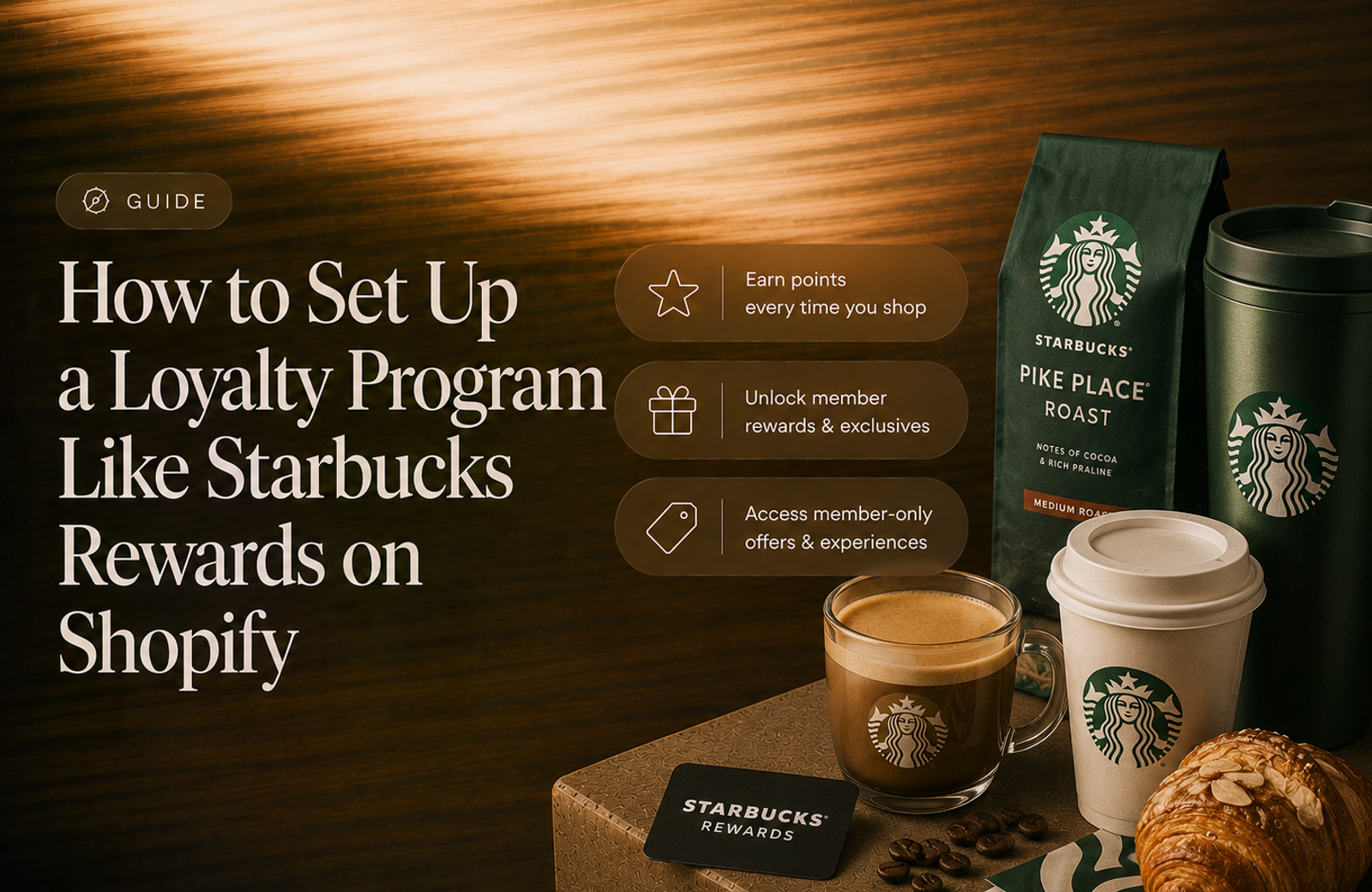
This guide walks through setting up a loyalty program like Starbucks Rewards on your own Shopify store, using Mage. Every setting is included, so you can follow it start to finish. It takes about twenty minutes, and if you would rather not do it yourself, our team will set the whole thing up for you free of charge.
What is Starbucks Rewards?
Starbucks Rewards is Starbucks' free loyalty program. Customers earn Stars on qualifying purchases, then spend those Stars on free food and drink from a fixed menu of redemption tiers. It is free to join, there is no paid version, and status is decided by how many Stars you earn rather than by how much you spend.
If you already know it inside out, skip ahead to what you'll set up. Everything below describes Starbucks Rewards as it stands in 2026.
“Cannot say enough good things about the team at Mage Loyalty, one of the absolute best organizations we have ever worked with, full stop! So glad we connected with them, completely redid our loyalty program, new concepts, use of loyalty, increasing user engagement, showing us where we were not valuing our best customers, just WOW, amazing team!”


Read the West Coast Goalkeeping case study →
How the Starbucks Rewards program works
There are two mechanisms, and it is worth separating them, because you will build them separately and only one of them carries any real cost.
Starbucks Rewards points
Members earn 1 Star per $1 spent. Stars are calculated on merchandise only, so tax, tips, fees and gift card purchases do not earn.
Stars are credited automatically to the account that paid, either through the app or by scanning a member barcode at the till. Purchases made when checking out as a guest earn nothing, so the account has to be attached at the moment of purchase.
How do you redeem Starbucks Rewards?
Stars are spent on a fixed ladder, and the customer picks a rung at the till or in the app:
| Stars | What it buys | Value |
|---|---|---|
| 25 | A drink customisation, syrup or an extra shot | $1 |
| 60 | $2 off a qualifying item | $2 |
| 100 | Brewed coffee, a bakery item or a packaged snack | $6 |
| 200 | Any handcrafted drink or hot breakfast item | $10 |
| 300 | A packaged salad, protein box or bag of coffee | $16 |
| 400 | Select merchandise or a Reserve coffee | $20 |
Each rung has a stated maximum value, and if the item costs more than that the customer pays the difference. That detail matters more than it looks, and we will come back to it in Step 4.
Starbucks Rewards tiers
There are three Starbucks Rewards tiers, and they are decided by Stars earned in a rolling twelve month window rather than by dollars spent in a calendar year:
| Tier | Unlocks at | Earn rate |
|---|---|---|
| Green | Free to join | 1 Star per $1 |
| Gold | 500 Stars in 12 months | 1.2 Stars per $1 |
| Reserve | 2,500 Stars in 12 months | 1.7 Stars per $1 |
Fail to earn the threshold again in your next twelve months and you drop a level. Spending Stars on rewards does not cost you status, because the balance that decides your tier and the balance you redeem from are counted separately.
On top of that sit a birthday reward, occasional double point days, bonus points for topping up a gift card, a free monthly customisation, and early access to offers for everyone. That is the whole program.
The three things that make it work
Starbucks Rewards looks like a long list of perks. Underneath it is three decisions, and two of them are the opposite of what most loyalty programs do.
1. The ladder is deliberately flat
Convert the ladder into cents per point and the shape appears:
| Points | Value | Cents per point |
|---|---|---|
| 25 | $1 | 4.0 |
| 60 | $2 | 3.3 |
| 100 | $6 | 6.0 |
| 200 | $10 | 5.0 |
| 300 | $16 | 5.3 |
| 400 | $20 | 5.0 |
There is no upward curve. A point is worth about five cents wherever it is spent, and the single best rung is 100, in the middle. Compare that to Ulta Beauty Rewards, where a point saved to the top rung is worth more than double a point spent at the bottom, and the entire program is built to make customers hoard.
Starbucks does the reverse. A flat ladder gives nobody a reason to save, so customers redeem early, redeem often, and come back into the store to do it. Redemption is the visit.
2. The 60 point rung is bait
Look at the worst rung on the ladder, 60 points for $2, at 3.3 cents a point. Then look at the one next to it, 100 points for $6, at 6.0 cents.
Forty more points nearly doubles what every point is worth. That contrast is what makes the 100 rung feel like the obvious choice, and the 100 rung is the cheap one for Starbucks to give away. A bad rung sitting next to a good one is doing a job.
3. Status is measured in points earned, not dollars spent
This is the mechanic that is easiest to get wrong when copying Starbucks Rewards, and it is the one with the interesting consequence.
Because tiers are earned in Stars, and higher tiers earn Stars faster, climbing makes the next climb cheaper. Work it through:
| To do this | Stars needed | At this rate | Spend required |
|---|---|---|---|
| Reach Gold from Green | 500 | 1x | $500 |
| Hold Gold once you are Gold | 500 | 1.2x | $417 |
| Reach Reserve from Gold | 2,500 | 1.2x | $2,083 |
| Hold Reserve once you are Reserve | 2,500 | 1.7x | $1,471 |
A Reserve member keeps Reserve on $1,471 of spend a year. At the base rate that same 2,500 Stars would take $2,500. Status discounts its own renewal by 41%, and that gives top tier members a built in reason to stay.
What that combination costs you
Percent back is the earn rate multiplied by the value of a point:
- A Green member redeeming at the 60 rung earns 1 point per $1 and gets 3.3 cents back per point. That costs you 3.3% of revenue.
- A Green member redeeming at the 100 rung costs you 6.0%.
- A Reserve member redeeming at the 100 rung earns 1.7 points per $1 at 6.0 cents a point. That costs you 10.2%.
Notice where the spread comes from. Between a Green and a Reserve on the same rung, the gap is exactly 1.7x, the multiplier and nothing else. The ladder contributes nothing, because it is flat. In Ulta's model two engines multiply together, and in Starbucks Rewards there is only one engine, which makes the cost far easier to predict.
This is the decision. If you want a program whose cost you can forecast from one number, copy this shape: a flat ladder and all of the value in the tier rate. If you would rather your program cost nothing until somebody redeems, flatten the multipliers toward 1 and put the value into rewards that only your top tier can see. Both ship at enormous scale. There is more on pricing the trade in our guide to how many points per dollar to offer.
Whichever you pick, price the top of your ladder before you build it. 10.2% back works on a $6 latte poured in a shop you already pay rent on. On a bag of beans sold online, where shipping is already eating the margin, it might not, and the fix is a one field change: set Reserve to 1.4x instead of 1.7x and your worst case drops to 8.4%.
What you'll set up
We will build this on a coffee brand, a roaster that sells beans, brew kit and gift sets online and runs a café, with a program called Roast Rewards. The tiers keep Starbucks' names, Green, Gold and Reserve, so the mapping stays obvious. Rename them to suit your brand.
| Starbucks Rewards feature | What you'll set up in Mage |
|---|---|
| 1 Star per $1 | Purchase earning rule |
| Green, Gold, Reserve | VIP Tiers, based on points earned |
| 1.2x and 1.7x earning | A points multiplier on each tier |
| The six rung Star ladder | Six rewards, four discounts and two products |
| The Reserve card and gifts | A tier entry reward |
| Exclusive Reserve experiences | Tier specific rewards |
| Early access for higher tiers | A Shopify customer segment on the VIP tag |
| The birthday reward | A birthday rule with per tier amounts |
| Stars expiring after 6 months | Points expiry, from the last purchase date |
| Double Star Days | A multiplier bonus campaign |
| Gift card reload bonus Stars | A tiered bonus campaign |
| Free Mod Mondays and offers | Points drops |
Step 1: Set your earning rate
Go to Loyalty → Earning Points and open the Purchase rule. It already exists, so there is nothing to create.
| Field | Value |
|---|---|
| Earning rule name | Earn 1 point per $1 |
| Amount earned | 1 |
| Spend threshold | 1 |
| Exclude discounted products from earning points | Unchecked |
| Approval Time | 0 |
| Status | Active |
That is the Starbucks Rewards base rate exactly, and two useful things happen without any configuration.
Points are calculated on your merchandise subtotal, so tax and shipping never earn. That matches the Starbucks exclusion list for free.
That subtotal is also net of discounts, which means an order paid for partly with a redeemed reward only earns on the money that actually changed hands.
Leave the exclusion box unchecked. It is the setting people tick by instinct and regret later. Ticked, any line carrying a discount stops earning entirely, so every customer who checks out with a reward code, a sale item or a welcome offer earns nothing at all. In a program built around frequent redemption that is most of your orders.
On Approval Time, Starbucks credits Stars within about 24 hours, which you can copy by setting this to 1. We would set it to 0. Instant points cost you nothing, and the moment a customer watches their balance move is the moment the program becomes real to them.
Step 2: Set your tier rules
Go to VIP Tiers → Program Settings. Configure all of this before you switch VIP tiers on, because Entry Method and Tier Progress Expiry lock once the program is running.
| Field | Value |
|---|---|
| Entry Method | Points earned |
| Tier Progress Expiry | Rolling Year |
| Use a shared rolling year window | Unchecked |
| Protect tier status | Unchecked |
| Never downgrade the highest tier | Unchecked |
| Program start date | Today |
| Points Multiplier | Purchases Only |
Entry Method is points earned, not amount spent. This is the single setting that makes it a Starbucks Rewards program rather than an Ulta one, and it is what produces the compounding effect from earlier. Choose spend here and your tiers become a straightforward spend gate, your Gold and Reserve members stop requalifying more cheaply than they qualified, and the flywheel is gone.
Rolling Year with the shared window unchecked is the other half of it. Each customer gets their own twelve months, counted from when they joined the program, which is exactly how Starbucks does it. Tick the shared window box and everybody is measured against the same fixed dates instead, so a customer who joins in November is judged on six weeks of shopping.
Rolling Year also handles demotion on its own. Only the last twelve months of earning count toward a tier, so a customer who stops shopping drifts back down without you scheduling anything.
Protect tier status stays unchecked for the same reason. Starbucks genuinely does demote people who fail to re-earn their threshold, and that annual requalification is a large part of what drives spend. Tick it if you would rather hold a customer's tier for a full twelve months after they qualify, which is the softer and more forgiving version.
Points Multiplier set to Purchases Only keeps the 1.2x and 1.7x on purchases alone. Set to All Earning Rules and your Reserve members earn 70% more for following you on Instagram too, which gets expensive quickly and is not what Starbucks does.
There is more on the mechanics in our guide to Shopify VIP tiers.
Step 3: Create your three tiers
In VIP Tiers → Your VIP Tiers, add three.
| Tier Name | Threshold | Points Multiplier |
|---|---|---|
| Green | 0 | 1 |
| Gold | 500 | 1.2 |
| Reserve | 2500 | 1.7 |
The thresholds are in points earned over the rolling year, so at a rate of 1 point per $1 they read as $500 and $2,500 of annual spend for a new customer. Pressure test both against your own order data rather than copying them. Starbucks' thresholds suit a daily habit: somebody buying a $6 drink four times a week spends over $1,200 a year. A customer buying an $18 bag of beans every three or four weeks spends nearer $250, so 500 points is not a stretch goal for them, it is out of reach. Scale the thresholds to your own order frequency or the top tier will sit empty. Our guide to designing VIP tiers that drive repeat purchases walks through picking thresholds from your real spend distribution.
Give each tier a colour and a badge so customers can see where they are, then switch VIP Tiers on. Mage sorts your existing customers into the right tier and tags them in Shopify, which you will use in Step 6.
One thing worth knowing, because it is the detail that makes this model work and you get it for free: redeeming points never costs a customer their tier. Redemptions are excluded from tier progress automatically, so somebody who cashes out 400 points is still exactly as close to Reserve as they were. That is the separation Starbucks describes as your Star balance and your status balance being two different things.
Step 4: Build your redemption ladder
Six rungs, six separate rewards. The first four are discounts and the top two are free products.
Go to Loyalty → Redeeming Points → Add Reward → Fixed Discount and create four, using these settings on every one:
| Field | Value |
|---|---|
| Redemption type | Set amount |
| Minimum Spend | 0 |
| Expiry Days | 30 |
| Combinations | All unchecked |
| Reactivate discount code on full refund | Checked |
Then vary these:
| Reward Name | Points Cost | Discount Amount | Applies to |
|---|---|---|---|
| $1 off a syrup | 25 | 1 | All products |
| $2 off any item | 60 | 2 | All products |
| Free drip bag | 100 | 6 | Drip Bags and Sachets |
| $10 off | 200 | 10 | All products |
Then Add Reward → Free Product twice:
| Reward Name | Points Cost | Product |
|---|---|---|
| Free house blend | 300 | your 250g house blend, around $16 |
| Free single origin | 400 | your $20 single origin |
The Applies to field is how you copy the maximum value rule. Starbucks caps each rung at a stated value and lets the customer pay the difference if they want something dearer. A fixed $6 discount scoped to your Drip Bags and Sachets collection behaves identically: pick a $6 box and it is free, pick a $9 one and you pay $3. You get the cap and the upgrade path from one setting, and scoping it to a collection stops a $6 discount landing on your $180 grinder.
Six rungs, not one flexible reward. A flexible reward is a single straight line, which sounds like the right tool for a flat ladder. It is not, for two reasons. Discrete rungs let you attach different products and different collections to different price points, and more importantly a visible list of six things to aim for is a far better motivator than a slider.
On the combination boxes, Starbucks does not let a reward stack with another offer, so all three unchecked is the faithful build. We would consider ticking them if you run frequent sales, because a customer who cannot use their reward during your busiest week is a customer who forgets they have one. Faithful is cheaper, generous converts better, and it is a genuine trade rather than a right answer.
The 30 day expiry on issued codes is ours rather than Starbucks'. It stops redeemed codes accumulating as an open ended liability, and it suits a flat ladder, where the whole point is that customers redeem quickly instead of saving. Set it to 0 if you would rather codes never expire.
Whatever else you do, present all six rungs together. The 60 point rung only does its job when a customer can see the 100 point rung sitting next to it.
Step 5: Add your tier perks
Each tier has two reward sections and they behave completely differently.
Entry Rewards are given automatically, once, the moment a customer reaches that tier. They cost the customer nothing.
Tier-Specific Rewards appear in the rewards list, but only for customers currently in that tier. They still cost points.
The Reserve arrival gift
Go to VIP Tiers → Reserve → Entry Rewards → Add Reward → Free Product.
| Field | Value |
|---|---|
| Reward Name | Reserve Welcome Gift |
| Product | your branded keep cup or tin |
| Minimum subtotal | 0 |
| Expiry Days | 60 |
Starbucks marks arrival at Reserve with a personalised card, which is a small physical object whose only job is to say you made it. A branded keep cup or a tin does the same work, and it lands at the exact moment a customer has just proven they are one of your best. Add a smaller version on Gold, a bag of whatever you have just roasted or a $10 reward.
Reserve exclusive rewards
Go to VIP Tiers → Reserve → Tier-Specific Rewards → Add Reward → Free Product.
| Field | Value |
|---|---|
| Reward Name | Reserve Micro Lot |
| Points Cost | 400 |
| Product | a limited release or competition lot |
| Expiry Days | 60 |
Starbucks reserves its exclusive experiences for the top tier, and on a Shopify store the equivalent is a product nobody else can redeem. This is worth doing even though your tiers already multiply, because a rate is abstract and easy to forget. A reward sitting visibly in someone's account is a reason to log in, and it costs you nothing until somebody qualifies and redeems it.
Step 6: Give your top tiers early access
Early access to launches and offers is one of the most quoted Starbucks Rewards benefits, and it is set up in Shopify rather than in Mage.
When you turned VIP Tiers on in Step 3, Mage began tagging customers in Shopify with their tier. You can build any standing perk you like on top of that tag.
In Shopify Admin → Customers → Segments → Create segment:
| Field | Value |
|---|---|
| Name | Gold and Reserve |
| Filter | customer_tags contains 'Gold' OR contains 'Reserve' |
Point an automatic discount, a members only collection or an early access email at that segment. It stays accurate on its own, because Mage keeps the tags in step as customers move tiers.
Enumerate every tier at or above the one you are gating. A segment that checks only the Gold tag silently excludes your Reserve members, who are the people most likely to notice and complain. There is no "this tier or higher" filter, so list them all every time.
Step 7: Copy the Starbucks Rewards birthday reward
Starbucks gives every member a birthday reward and makes it progressively easier to use as you climb. That scaling is one rule in Mage.
Go to Loyalty → Earning Points → Add Earning Rule → Birthday.
| Field | Value |
|---|---|
| Earning rule name | Birthday Reward |
| Amount earned | 200 |
| Date of Birth Eligibility Period | 7 |
| Status | Active |
Then open Advanced Settings, enable Set custom points per VIP tier, and set:
| Tier | Birthday points |
|---|---|
| Green | 200 |
| Gold | 250 |
| Reserve | 300 |
The effect is neat. A Green member gets a birthday reward that covers the $10 rung. A Reserve member gets one that covers the $16 rung with change. The generosity scales on its own, from one rule, and it fires automatically.
The Date of Birth Eligibility Period of 7 days is Starbucks' own anti abuse rule, word for word: join at least a week before your birthday or it does not count this year. It stops somebody signing up on the day and setting their birthday to tomorrow.
One thing to check before you rely on this: your signup form or customer account has to actually collect a date of birth, or the rule has nothing to fire on. There is more on building campaigns around it in Shopify birthday rewards.
Step 8: Turn on points expiry
Go to Loyalty → Loyalty Program → Points Expiry.
| Field | Value |
|---|---|
| Enable points expiry | On |
| Expiry mode | Customer's last purchase date |
| Points expire after | 180 days |
| Expiry reminder | 14 days |
| Reset Redeemable Loyalty Points Annually | No |
Starbucks expires a Green member's Stars six months after the calendar month they were earned in, and a qualifying purchase, a redemption or a $30 digital reload in the month before that date pushes it back by one month. A member who visits every month never loses anything, so in practice it is close to an inactivity rule, and Customer's last purchase date is the closest mode, and slightly more forgiving. Every order resets the clock on the customer's whole balance, so somebody who keeps shopping never loses anything, and somebody who disappears for six months does. Starbucks also switches expiry off for Gold and Reserve members while they keep their status.
The other mode, Time after points are acquired, expires each batch of points on its own clock regardless of how much the customer shops. That version creates more urgency because there is always something about to expire. This one never penalises an active customer. Neither is wrong, and it is one dropdown to change, so it is worth reading our guide to points expiry that drives redemptions without annoying customers before you commit.
Six months is short, and on a flat ladder that is consistent rather than harsh. Nobody is being asked to save, so nobody loses a hoard. If your customers buy less often than every six months, use 365 days instead.
The 14 day reminder gives customers a nudge before it happens. Expiry reminders are consistently among the highest converting emails a loyalty program sends.
Step 9: Schedule your bonus point events
Two of Starbucks' most visible mechanics are campaigns, and they are different shapes.
Double point days
Go to Loyalty → Bonus Campaigns → Create Bonus Campaign.
| Field | Value |
|---|---|
| Campaign Name | Double Point Day |
| Type | Multiplier |
| Purchase rule multiplier | 2 |
| Override VIP tier multipliers | Unchecked |
| Start and end date | your event window |
| Status | Scheduled |
Leave Override VIP tier multipliers unchecked. It is the most important box on the page for this model. Unchecked, the campaign stacks on the tier rate, so a Reserve member on a double point day earns 1.7 x 2. Ticked, the campaign replaces the tier rate, which quietly cancels your top tier's headline benefit every time you run a promotion, on exactly the days your best customers are paying attention.
Set the status to Scheduled and the campaign turns itself on and off on the dates you chose. Campaigns stack with each other too, so a category specific 2x and a store wide 2x can run at the same time. Base points are only ever earned once.
Spend and get bonus points
Starbucks awards bonus Stars for topping up a gift card at set amounts, 10 Stars at $30 and 25 at $50. The retail version of that is a spend threshold.
Create a second campaign with Type set to Tiered:
| Spend threshold | Bonus points |
|---|---|
| $60 | 50 |
| $100 | 150 |
Tiered awards are flat bonuses on top of the normal purchase points, and they are not multiplied by tier rates or other campaigns, so the cost is exactly what is on the page. It is the cheapest way to move average order value, and 150 points at the $100 threshold is worth about $7.50 on this ladder.
Step 10: Run the monthly free treat
Free Mod Mondays, one free customisation a month for every member, is one of the best known small perks in Starbucks Rewards. It works because it is tiny, frequent and unconditional.
Go to Loyalty → Points Drops → Create.
| Field | Value |
|---|---|
| Drop name | May free add on |
| Points amount | 25 |
| Who receives this drop? | All loyalty members |
| Expires after | 3 days |
| Schedule | first Monday, 9am |
Twenty five points is the bottom rung, so every member gets exactly enough for one free add on and nothing else. The three day expiry is what turns it into a visit. An unexpected reward with a deadline outperforms a larger one that sits in an account for a month.
Create one drop a month and pair it with an email or a wallet push.
The same tool covers the other half of Starbucks' offer engine. Set Who receives this drop? to VIP Tier and you can give Gold and Reserve members their own extra bonus days, which is how Starbucks rewards its higher tiers with more frequent offers rather than a bigger discount. Set it to Shopify Segment and you can drop points on lapsed customers, or on people who buy filter beans but have never tried an espresso roast.
Step 11: Put it in front of customers
A loyalty program nobody can see does not work. Three surfaces to set up:
Loyalty Pages. Your landing page. Add the How it works, Ways to earn, Ways to redeem, VIP tiers and FAQ blocks. They populate themselves from everything you just set up.
Account Sidebar. The signed in view, showing balance, tier progress and the rewards a customer can afford right now.
Checkout points earned. Shows customers the points they are about to earn while they are paying, which is where the tier multiplier finally becomes tangible.
Spend your time on two blocks in particular. Ways to redeem is where all six rungs sit side by side and the 100 point rung does its work. VIP tiers is where the benefit table lives, and on this model that table is carrying the program, because "earn 70% faster" is the entire pitch for climbing. Put the earn rate on its own row at the top, in points per dollar, so the difference between 1, 1.2 and 1.7 is impossible to miss.
For more on the pieces available, see our overview of the Shopify loyalty program.
You don't have to copy all of it
Very few stores need the whole thing, and it comes apart cleanly.
If you want one thing, make it the flat ladder in Step 4. It is the cheapest part of this program to run and the easiest to explain, and it produces the frequent small redemptions that bring people back.
If your customers buy often, add the tiers in Steps 2 and 3 with points earned as the entry method. The compounding requalification is the mechanic that keeps top tier customers there, and it only works if people buy often enough to notice.
If margin is tight, keep the ladder and set every multiplier to 1. Put the value into the tier gifts and exclusive rewards in Step 5 instead, which cost you nothing until somebody qualifies and redeems.
If your customers buy occasionally, skip the tiers entirely. The birthday reward in Step 7, the expiry reminders in Step 8 and the monthly drop in Step 10 will do more for you than any tier structure.
Take the parts that suit how your customers actually shop.
We'll set it up for you, free
If you would rather not configure any of this yourself, our team will do it for you at no cost. That includes the full build above, tuned to your catalogue and your margins, plus your branding across the widget, sidebar and loyalty pages.
Already running a loyalty program somewhere else? We handle migrations free of charge too, including your existing customer balances, tiers and history, so nobody loses the points they have earned. We have migrated stores from Smile.io, LoyaltyLion, Yotpo, Rivo, Stamped, Joy and Bubblehouse.
Talk to our team and tell us what you want your program to look like.
Frequently asked questions
What is Starbucks Rewards? Starbucks Rewards is Starbucks' free loyalty program, in which customers earn 1 Star per dollar spent and redeem those Stars for free food and drink on a fixed six rung ladder running from 25 Stars up to 400. There are three tiers, Green, Gold and Reserve, decided by how many Stars a customer earns in a rolling twelve month period rather than by how much they spend.
How does the Starbucks Rewards program work? Starbucks Rewards works on one main engine, the earn rate. Every member earns 1 Star per dollar, 500 Stars in twelve months unlocks Gold at 1.2 Stars per dollar, and 2,500 unlocks Reserve at 1.7. Stars are then spent at six fixed levels, 25, 60, 100, 200, 300 and 400, each with a maximum item value from $1 up to $20. Because the ladder is close to flat at around five cents a Star, saving up gains a customer almost nothing, so redemption happens early and often. That is the program as of 2026.
What are the benefits of Starbucks Rewards? Every member earns Stars on qualifying purchases, gets a birthday reward, a free monthly customisation, bonus Stars on gift card reloads, and early access to offers. Gold members earn 20% faster, and Reserve members earn 70% faster and get exclusive experiences and a free personalised Reserve Card. Every one of those benefits is reproduced in this guide.
How many Stars do you need for a free drink at Starbucks? 200 Stars buys any handcrafted drink up to a value of $10, which at 1 Star per dollar is $200 of spending. Cheaper options sit below it: 25 Stars for a customisation worth $1, 60 for $2 off an item, and 100 for a brewed coffee or bakery item up to $6. The 100 Star rung is the best value on the ladder at 6 cents a Star, and the 60 Star rung is the worst at 3.3 cents.
Do Starbucks Rewards expire? Yes. Stars expire six months after the calendar month in which they were earned, but the clock is extended by activity: a qualifying purchase, a reward redemption or a $30 digital reload in the month before expiry pushes the date back by a month. In practice a member who is active every month never loses Stars, which makes it close to an inactivity rule, and it is the version we would copy. Gold and Reserve members' Stars do not expire at all while they keep their status. In this guide it is one dropdown, Customer's last purchase date, set to 180 days in Step 8.
Does Starbucks do birthday rewards? Yes. Every Starbucks Rewards member with a birthday on file gets a free handcrafted drink, food item or bottled drink on the day, provided they joined at least seven days beforehand and have earned Stars that year. Higher tiers get longer to use it, seven days at Gold and thirty at Reserve. Step 7 of this guide builds the equivalent as a single rule that awards more points the higher a customer's tier, so the reward scales with status on its own.
What are the new Starbucks Rewards tiers? As it stands in 2026 there are three Starbucks Rewards tiers, Green, Gold and Reserve, and the threshold is Stars earned rather than dollars spent. Green is free, Gold needs 500 Stars in a rolling twelve months and Reserve needs 2,500. Each tier changes the earn rate, to 1x, 1.2x and 1.7x. Because a higher tier earns Stars faster, holding a tier costs less than reaching it did: Reserve requalifies on about $1,471 of spend where the same 2,500 Stars would take $2,500 at the base rate. Spending Stars on rewards does not affect a customer's tier, because status and redeemable balances are counted separately.
How do I set up a loyalty program like Starbucks Rewards on Shopify? Every part of the structure in this guide can be set up in Mage: the 1 point per dollar earn rate, the three tiers based on points earned over a rolling year, the 1.2x and 1.7x multipliers, the six rung ladder with per rung product scoping, tier gifts and exclusive rewards, early access by customer segment, the birthday reward, points expiry, bonus point campaigns and monthly points drops. This guide covers each step with the exact settings to use.
How long does it take to set up? About twenty minutes if you follow this guide. If you would rather it was done for you, our team sets it up free of charge, including your branding.
Should my tiers change the earn rate, or should my ladder reward saving? Pick one, and Starbucks picks the rate. A tiered earn rate is easy to explain and pays out on every order, which makes it feel continuous, but it costs margin continuously and it costs the most on your biggest customers. Work out the percent back for your top tier before you commit: at 1.7x on a six cent ladder it is 10.2% of revenue. A ladder that bends upward instead, where a point is worth more at the top, makes customers hoard and raises the perceived value of the program, but it builds an outstanding liability and delays the visit. The flat ladder in Starbucks Rewards gives nobody a reason to wait, so redemptions are small, frequent and easy to forecast, and every one is a reason to come back. If your customers buy often, flat wins. If they buy rarely and you need a reason for them to return, the bend is worth the liability.
What happens to points when a customer returns something? Points earned on that order are removed automatically, including any bonus points from a campaign, and partial refunds reverse points proportionally. Tax and shipping never earned points in the first place, so nothing needs unwinding there. If the order was paid for with a reward, the discount code is reactivated so the customer keeps what they redeemed.
Can I switch from my current loyalty app without losing customer points? Yes. We migrate balances, tiers and history from other loyalty platforms free of charge, so your customers keep everything they have earned.

Graeme is the co-founder at Mage Loyalty. He heads product development, from complex loyalty migrations and large-scale data handling to building the features shaping the future of loyalty on Shopify.